
Enhance your BigCommerce store’s efficiency by integrating it with Amazon MCF (Multi-Channel Fulfillment) using M2E Cloud. Use Amazon FBA (Fulfillment by Amazon) inventory to automatically fulfill BigCommerce orders, streamline operations, and reduce costs.
Follow this step-by-step guide to configure the M2E Multi-Channel Fulfillment by Amazon app for BigCommerce.
Step 1. Install the app #
Begin by installing the M2E Multi-Channel Fulfillment by Amazon app from the BigCommerce app store.
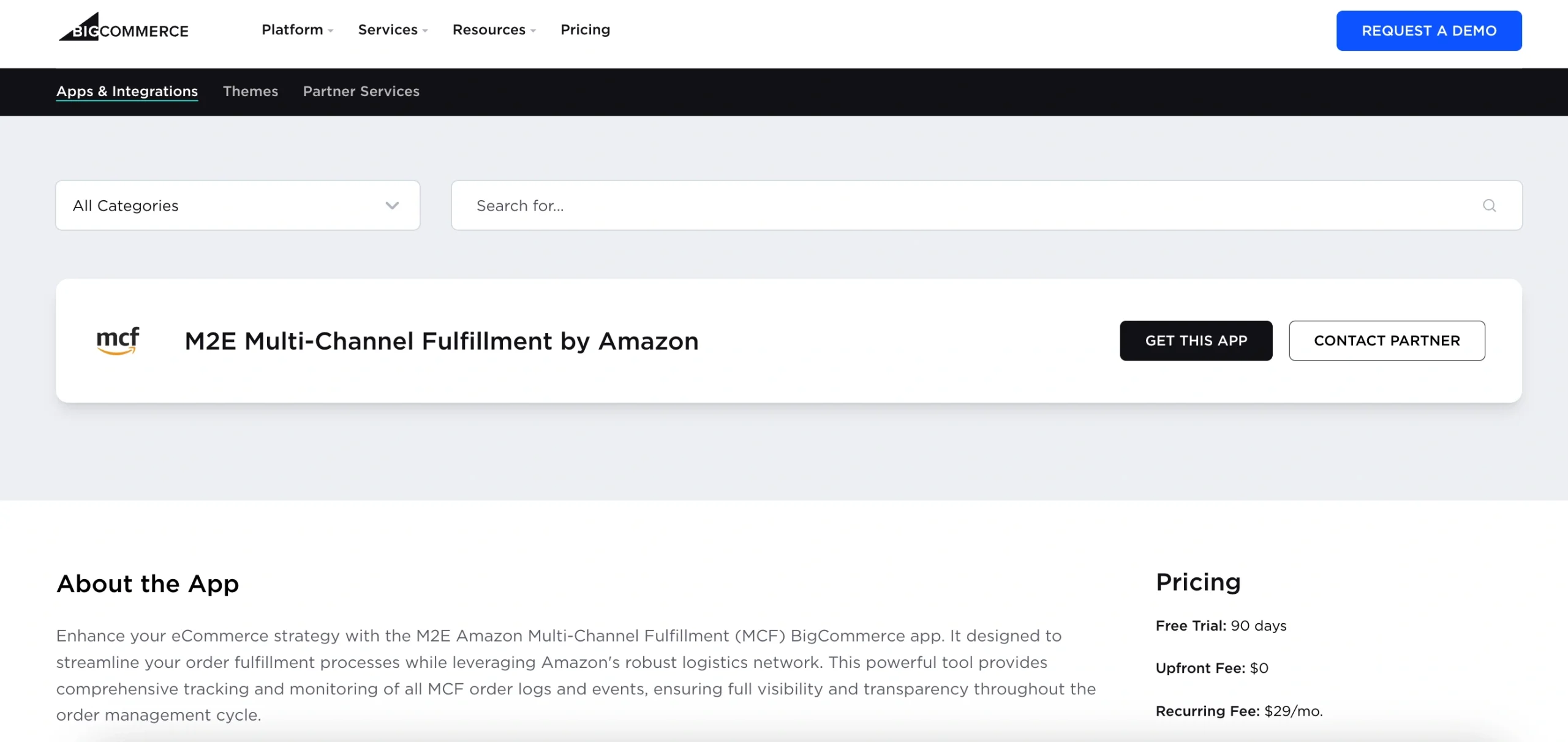
You’ll be redirected to your BigCommerce admin panel. Confirm that you want to Install the app by clicking on the button.
Once the app is installed, you’ll be taken directly to the M2E Amazon MCF setup.
Step 2. Connect your Amazon seller account #
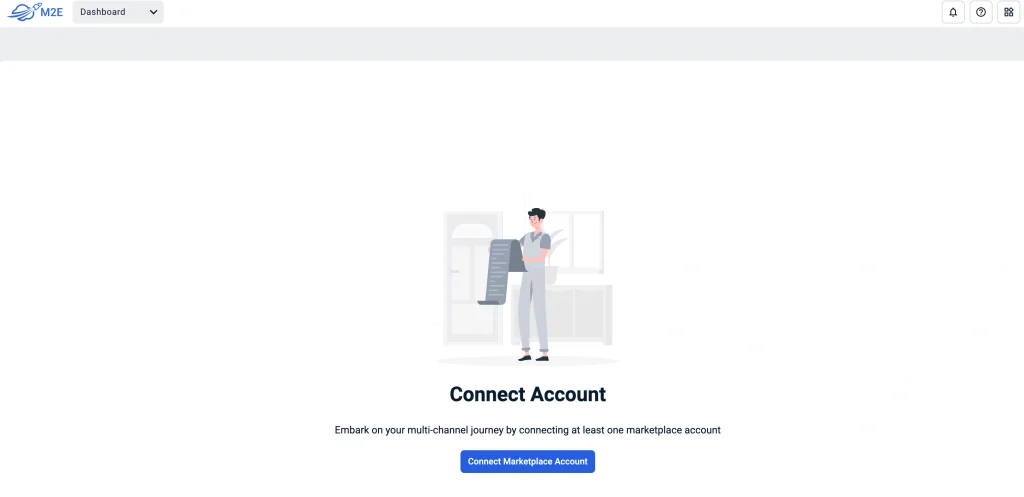
Open the Dashboard and follow the setup instructions.
Click Connect Marketplace Account to link your Amazon Seller Central profile.
You’ll be redirected to Amazon. Log in and grant M2E Cloud permission to access your account.
Once linked, your Amazon account will be ready to sync with your BigCommerce store.
Step 3. Link existing products #
After connecting your accounts, the app will automatically match and associate BigCommerce products with Amazon FBA inventory using SKU or Product ID.
- If matches are found, they will sync automatically.
- If no match is found, manually link products:
- Click View Not Linked Products in the Link Products section.
- You’ll be redirected to the Listings tab to finalize linking.
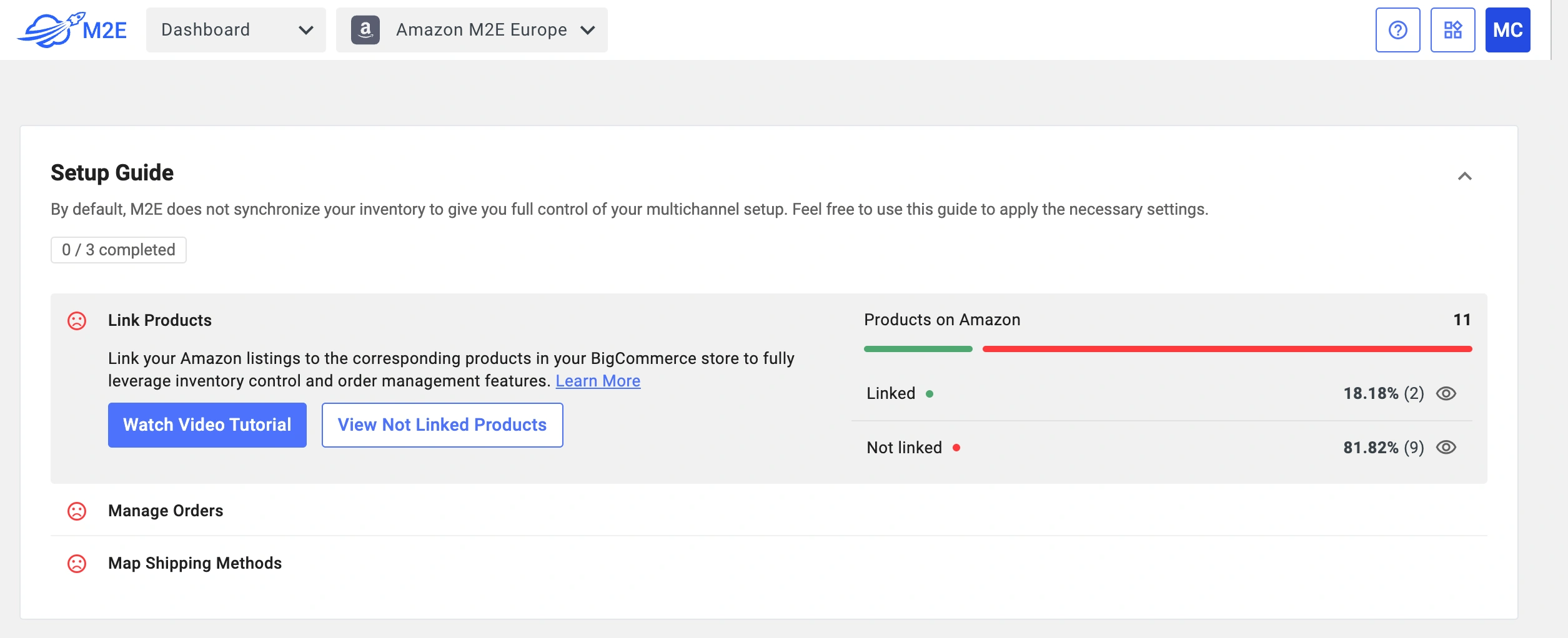
⚠️ If your products aren’t linked, the app won’t be able to properly synchronize your orders.
Step 4. Configure order processing settings #
Under the Manage Orders section, click Order Settings.

In the Orders tab, you’ll configure key options that define how your BigCommerce orders are fulfilled through Amazon MCF and how stock levels are synchronized:
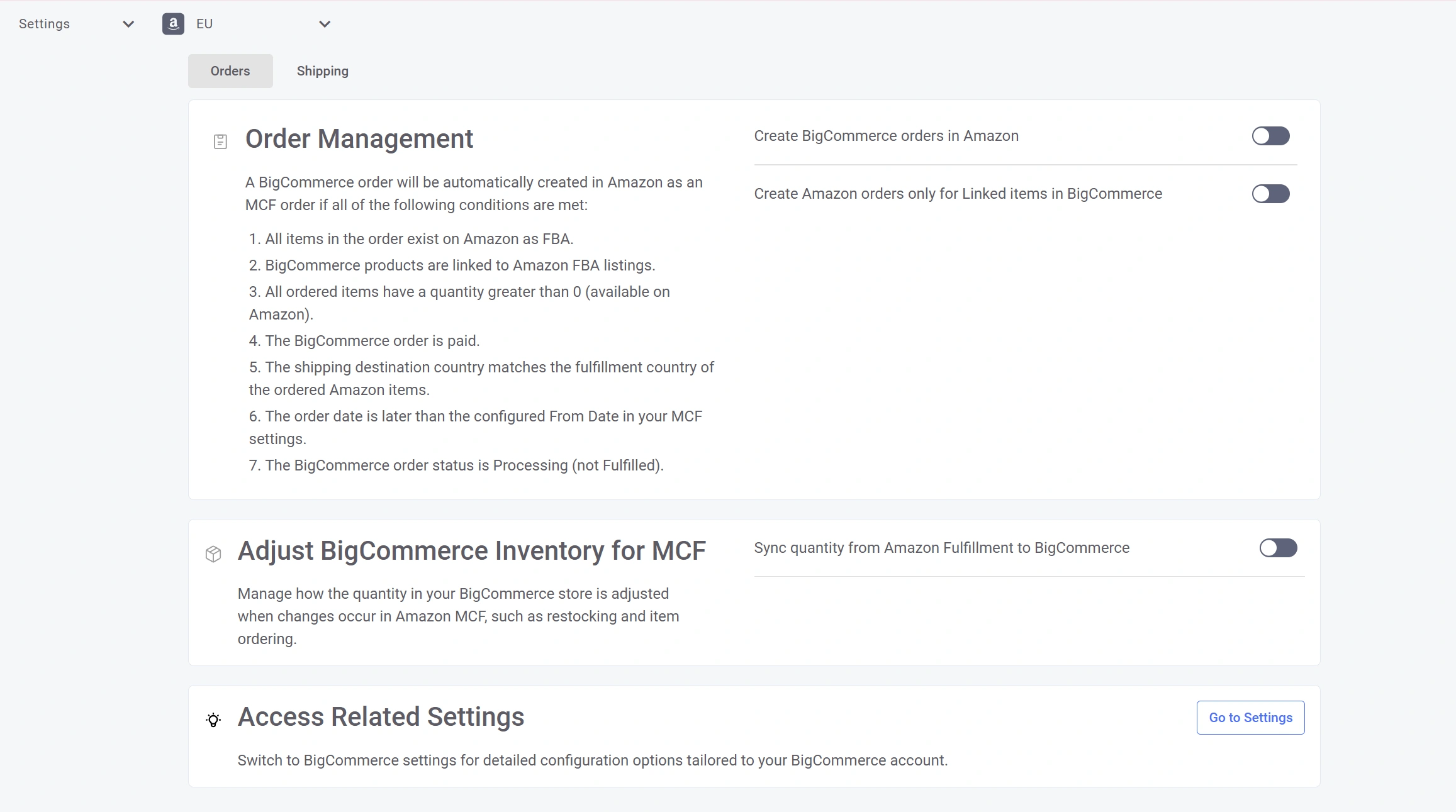
- Order Management – enable Create BigCommerce orders in Amazon so the app automatically submits fulfillment requests to Amazon for new BigCommerce orders. You can also restrict this option to products that are already linked.
⚠️ Orders will only be passed to Amazon MCF if they meet the required conditions (for example, the item exists in FBA, stock is available, and the order has been paid).
- Adjust BigCommerce Inventory for MCF – control how your BigCommerce catalog reflects changes in Amazon FBA stock.
You can switch on quantity synchronization and decide how stock should be updated: either by overriding existing quantities with FBA values or by adding FBA quantities on top of current BigCommerce stock.
💡 For more information on how to enable and adjust inventory sync, follow our guide on Amazon MCF BigCommerce stock synchronization.
Step 5. Map BigCommerce and Amazon shipping methods #
To ensure precise order fulfillment, map BigCommerce shipping methods to Amazon’s MCF shipping options:

- Click Shipping Settings in the app.
- Select an Amazon shipping method that matches each BigCommerce shipping option.
- Save changes to enable automatic mapping.
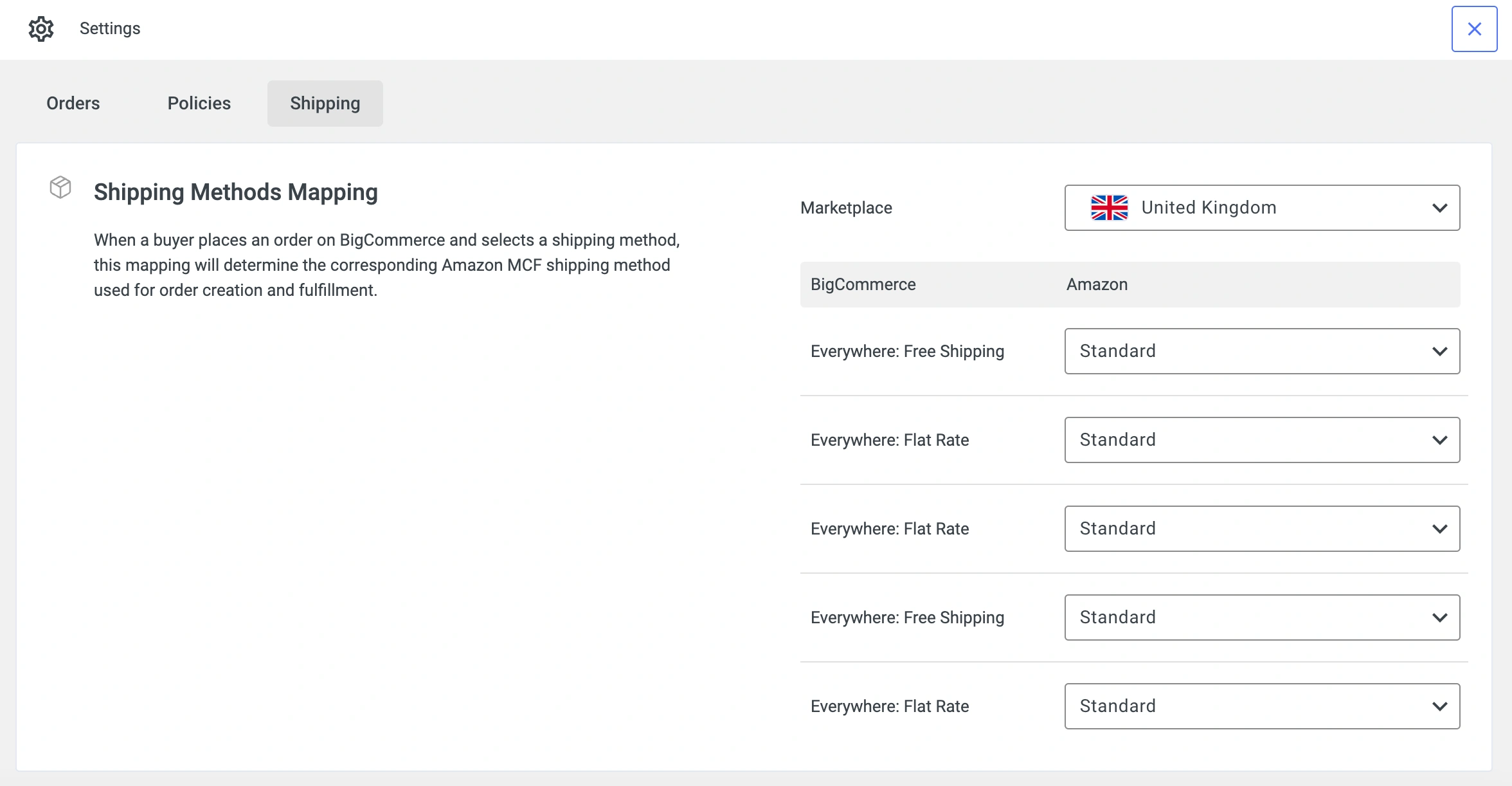
ℹ️ Why Shipping Methods Mapping is important:
- Automation: Ensures BigCommerce shipping methods apply correctly to Amazon fulfillment.
- Accurate tracking: Customers receive proper shipment and tracking information.
Optimizing multi-channel fulfillment #
To maximize efficiency via M2E Amazon MCF, keep these best practices in mind:
Automated order fulfillment requirements #
The app creates Amazon fulfillment orders under these conditions:
- The customer’s shipping address aligns with an Amazon FBA warehouse location.
- All order items are linked to FBA products.
- Sufficient FBA inventory is available for fulfillment.
Tracking and order updates #
- Order Status Sync: The app continuously updates BigCommerce with Amazon’s fulfillment progress.
- Tracking Information: Once Amazon ships an order, tracking details automatically sync to BigCommerce.
- Partial Shipments: If an order is shipped in multiple batches, each tracking number is updated accordingly.
Expanding fulfillment beyond BigCommerce #
M2E Multi-Channel Fulfillment by Amazon isn’t limited to BigCommerce. It also supports automated order fulfillment for marketplaces like eBay, TikTok Shop, and Kaufland.
Here's the overview of the workflow:
- When an order is placed on BigCommerce, eBay, or TikTok Shop, the app verifies if the product is linked to an Amazon FBA item.
- If linked, the app generates an Amazon MCF order automatically.
- Amazon processes and ships the order.
- Tracking details sync back to BigCommerce or the original marketplace.


