
Learn how to update tracking numbers on marketplaces like Amazon, eBay, Walmart, TikTok Shop, Kaufland, Temu, and more from WooCommerce.
By default, WooCommerce doesn't provide built-in fields for order tracking, so sellers use a plugin to add carrier and tracking details. M2E Multichannel Connect can then synchronize those details to the marketplaces.
M2E Multichannel Connect works with your WooCommerce tracking plugin in one of two ways:
- If you use the Shipment Tracking for WooCommerce plugin, M2E reads the tracking details automatically.
- If you use any other tracking plugin, you point M2E to the order meta fields where it stores the carrier and tracking number.
Choose the option that matches your plugin under Settings > Orders > Order Fulfillment, then follow the steps below.
Option 1. Use the Shipment Tracking plugin #
Install the Shipment Tracking plugin #
In WooCommerce, go to Plugins > Add New. Search for Shipment Tracking for WooCommerce, then install and activate it. This plugin lets you add tracking numbers to your orders in WooCommerce.
Add tracking info to marketplace orders #
Go to Orders in WooCommerce, select an imported Channel order, and enter the tracking information in the Shipment Tracking section. Save the order.

Automatic sync with the marketplace #
If the Shipment Tracking plugin is active and the order was imported from the Channel via M2E Multichannel Connect, adding tracking details in WooCommerce will automatically update the tracking data on the Channel.
The Channel order status will be updated to Completed.
Option 2. Use another tracking plugin (via order meta) #
If you use a different WooCommerce tracking plugin, M2E can read the carrier and tracking number from your order meta fields.
Select your plugin setup #
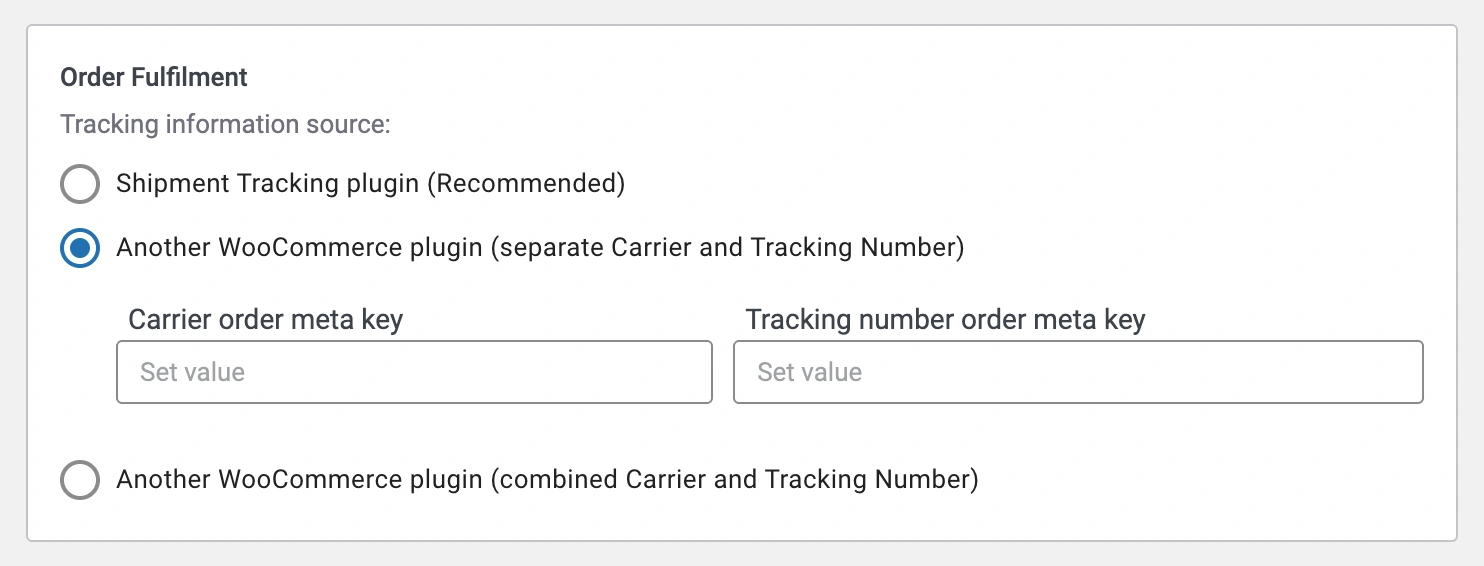
Go to Settings > Orders > Order Fulfillment and select the option for another WooCommerce plugin that matches how your plugin stores the data:
- Separate Carrier and Tracking Number – enter the Carrier order meta key and the Tracking number order meta key.
- Combined Carrier and Tracking Number – enter the single Order meta key.
Add tracking information and sync with the marketplace #
Fulfill your orders as usual with your plugin. When the order was imported from the Channel via M2E Multichannel Connect, the app reads the carrier and tracking number from the meta fields you specified and updates the tracking data on the Channel.
The Channel order status will be updated to Completed.
Need help? #
If you have questions about syncing WooCommerce tracking information with M2E Multichannel Connect, please contact our support team.


