
If you sell on TikTok Shop in Europe, the Sell Across EU feature lets you publish products to multiple European shops at once. You only need your main shop to handle listings and management, without opening new accounts.
M2E Multichannel Connect supports this feature and allows you to list products from your e-commerce platform across TikTok Shop EU markets. This guide shows you how it works and how to get started with TikTok global selling.
About “Sell Across EU” #
It is a TikTok Shop feature that makes it easier for sellers in Europe to grow across different countries. Instead of opening a new account for every market, you can manage sales from your existing shop. Listings, orders, and customer support stay in one Seller Center dashboard.
As soon as your source shop is active, you can start creating listings in other EU markets where TikTok Shop is available.
Steps to enable “Sell Across EU” #
You can activate Sell Across EU in your TikTok Shop Seller Center.
1) Verify the contact information and warehouse address linked to your shop.
2) Decide on the shipping option you’ll use, whether TikTok’s own logistics service or an external carrier like Amazon MCF.
3) Add your banking information. Keep in mind that TikTok may require a bank statement to complete the check.
💡 For detailed instructions, please refer to TikTok’s official guide.
Once these steps are complete, you can start publishing products to new EU shops.
⚠️ TikTok Shop places new shops under a probation period with limits on listings and order volume. After your source shop graduates, the same status is applied to all connected shops, and the limits no longer apply.
What products can you sell #
You can list the same product categories in Sell Across EU that you already offer in your main shop. Some categories, however, are subject to additional listing requirements under TikTok Shop EU Global Selling rules:
- All EU regions: Food & Beverage, Food Supplements, Jewellery, Baby & Maternity
- Germany and France: Books
ℹ️ These product categories require extra approval steps in the source shop before they can be listed. Always review the latest TikTok Shop Global Policies on prohibited and restricted items to make sure your listings comply.
How to create TikTok Shop Global EU listings in M2E #
The “Sell Across EU” feature in M2E allows you to publish a listing to several TikTok Shops in Europe automatically.
Choose the products from your Store or Catalog that you want to sell in different TikTok Shop markets. Create the listing once, provide the required settings, and M2E replicates it across all selected EU shops.
Follow the instructions below:
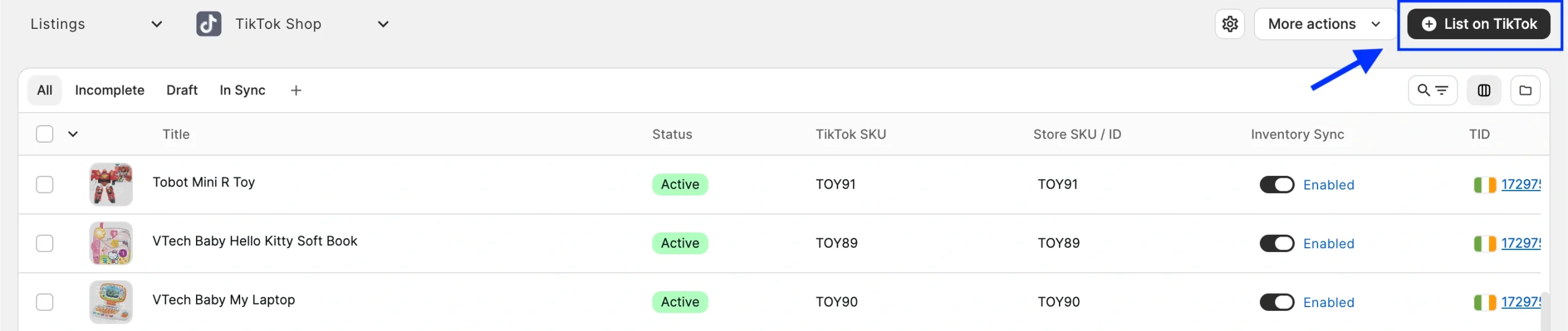
1) Open the Listings page and select your TikTok Shop account.
2) Click the List on TikTok button in the top-right corner.
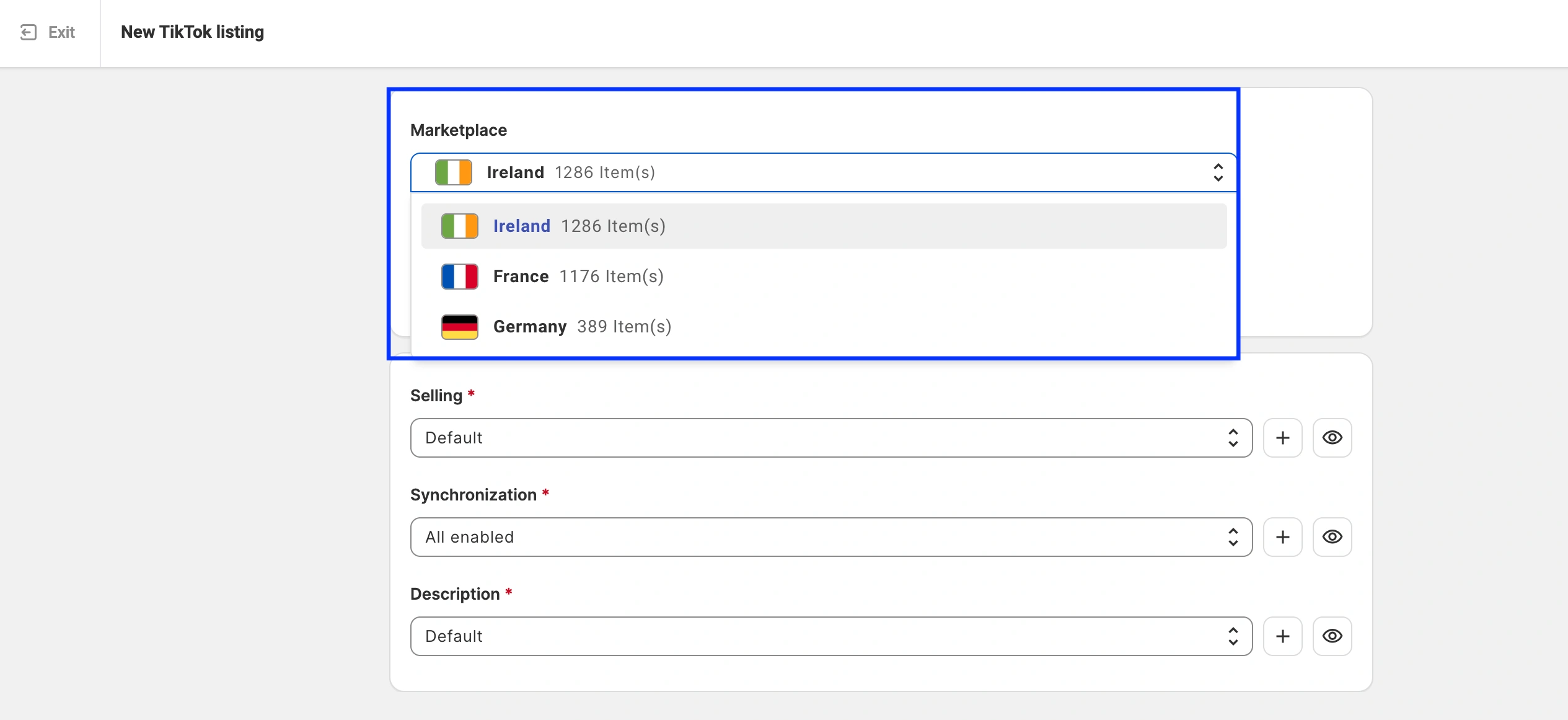
3) In the Marketplace section, choose your main region (source shop).
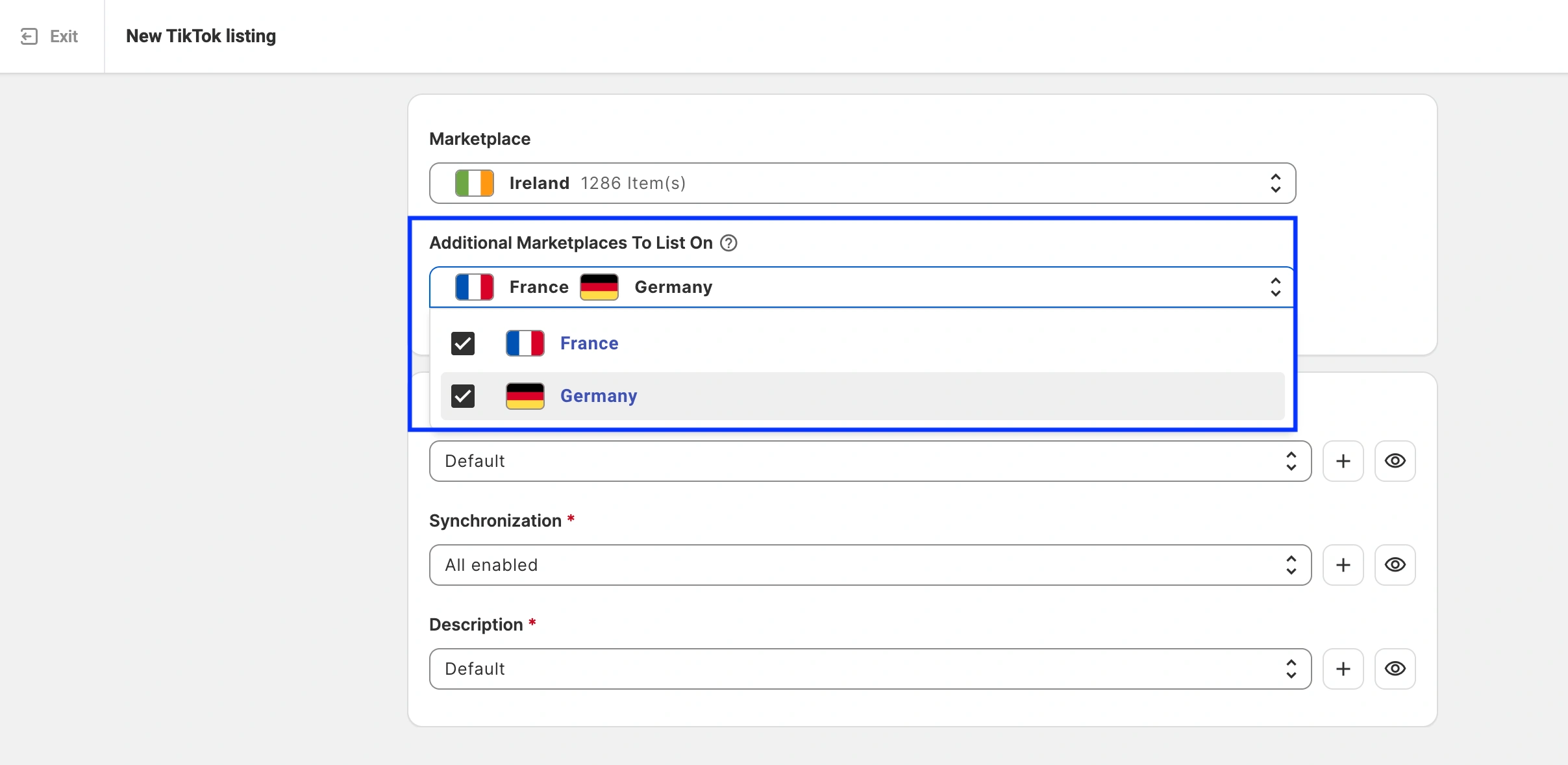
4) In the Additional Marketplaces To List On section, select the EU markets where you want to replicate the listing.
5) Complete the TikTok Shop listing by providing the required details (Policies, Categories, etc.) and selecting the products from your Store or Catalog.
How product replication works #
M2E Multichannel Connect publishes your listing in stages:
- Main listing first. M2E lists your product on the main marketplace. The replicas will have the same data as the main listing (price, quantity, title, etc.) and share an identical SKU.
- Validation. Before the listing goes live, M2E checks that all details are correct. If the main listing runs into validation issues, you resolve them first. Until then, the replicas stay in Draft status. Read more about the validation of listings in our guide.
- Replicas published. Once the main listing becomes active on TikTok Shop, M2E publishes it to the other EU markets you selected.
The main listing and each replica receive a unique TikTok Item ID (TID). M2E handles the localization automatically: prices are converted to each marketplace's currency, and the correct local category is assigned. TikTok Shop translates the product information into the relevant languages.
Updating listing data #
Since the main listing and its replicas share the same data, any change you make to the main listing is applied to all its replicas. For example, if you edit the product title, the update affects the main listing and every linked replica on TikTok Shop.
ℹ️ If you need different pricing for a specific TikTok Shop market, you can adjust it in the Selling Policy for that particular replica.
Need help? #
If you’d like help setting up or have questions about being a TikTok Shop Global seller, our support team is here to guide you.


