
M2E Description Policy helps you shape how your product information appears on OTTO. You can manage titles, descriptions, and other settings for entire product sets and stay aligned with OTTO’s listing rules. This gives you a consistent way to publish listings without having to edit each product individually.
💡 Use the usual M2E steps to create and open Description Policies.
Here is how to configure a Description Policy for OTTO.
Step 1. Set general information #
Start by naming your Description Policy. Pick a name that clearly reflects the product group or purpose.

✅ If you use the same style for all your OTTO listings, you can create a single policy and call it ‘Default.’ If some products need specific formatting or rules, create separate policies with clear names.
Step 2. Configure product title #
Decide how you want M2E to build titles for your OTTO listings.
You can choose:
- Title to copy the store title
- Metafield to load the title from a specific attribute
- Advanced Title to combine several attributes into one structured title

ℹ️ Advanced Title is valid when you want to display details such as brand, color, size, or model in a clear, consistent format.
Step 3. Set bullet points #
Bullet points appear near the top of an OTTO product card and help buyers scan a product's key features.
In the Bullet Points section of your Description Policy, choose where M2E should pull them from:
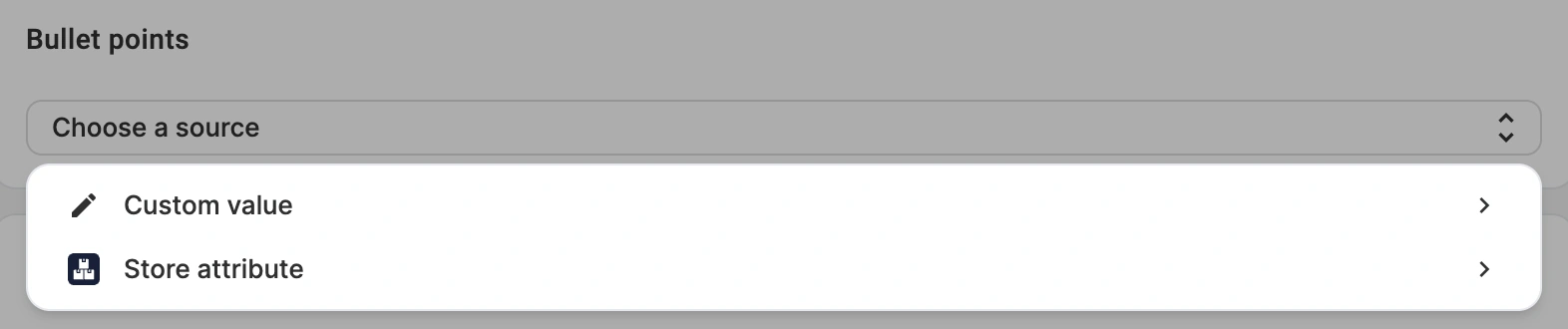
- Store metafield or attribute – select one attribute that holds all of your bullet point content. M2E splits that content into separate bullet points when sending it to OTTO, so a separate attribute per bullet point is not required.
There are two ways to structure the values so M2E can separate them correctly:
1. Separate values with a comma or semicolon
This works well for short bullet points that do not contain commas or semicolons themselves. For example:
Lightweight; Water-resistant; Adjustable fitEach value will be sent to OTTO as a separate bullet point.
2. Use an HTML list
If your bullet points are longer or contain commas or semicolons, we recommend storing them in HTML list format. This prevents a single bullet point from being split unexpectedly. For example:
<ul>
  <li>Soft, breathable cotton blend</li>
  <li>Adjustable hood with drawcord</li>
  <li>Full-length zipper, hidden side pockets</li>
  <li>Ribbed cuffs and hem for a secure fit</li>
  <li>Machine washable at 30°C</li>
</ul>
Each <li> element will be sent to OTTO as a separate bullet point.
- Custom value – enter the bullet points yourself. Each value you add becomes a separate bullet point.
Step 4. Build product description #
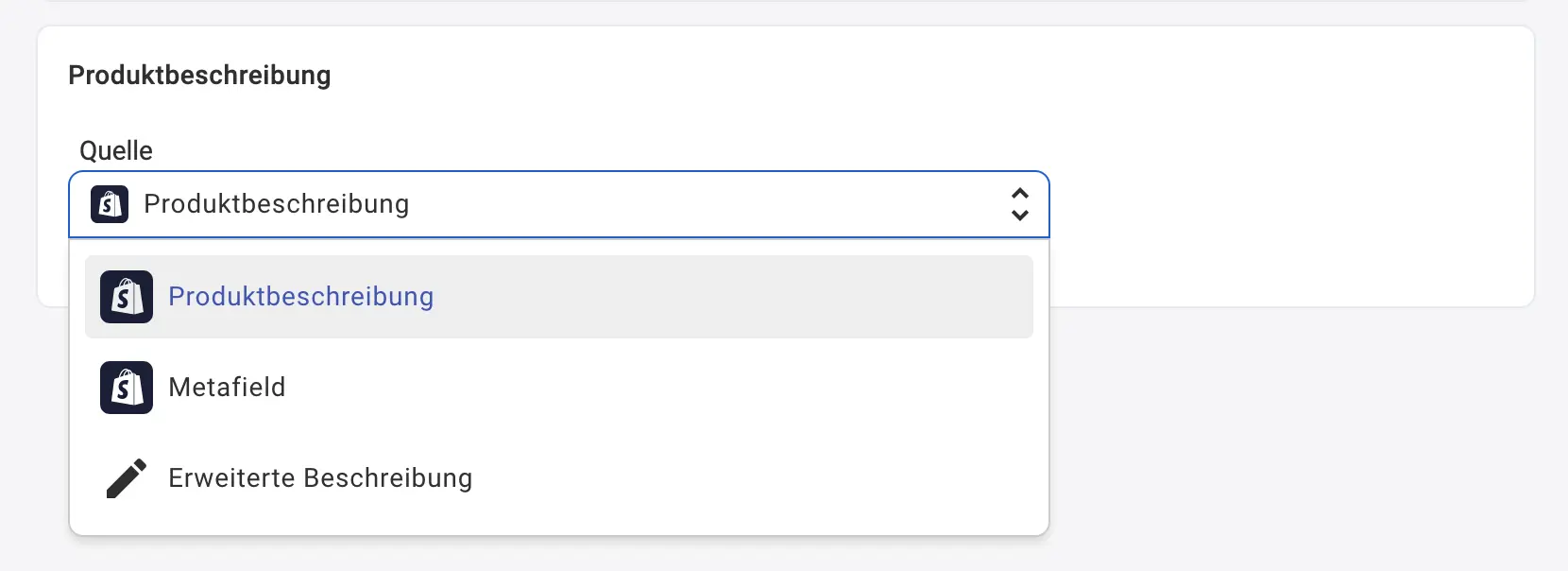
Choose the source for your OTTO description.
You can pick:
- Product Description, which mirrors the store description
- Metafield, which uses a chosen attribute
- Advanced Description, which lets you create a custom layout with attributes, tags, or HTML
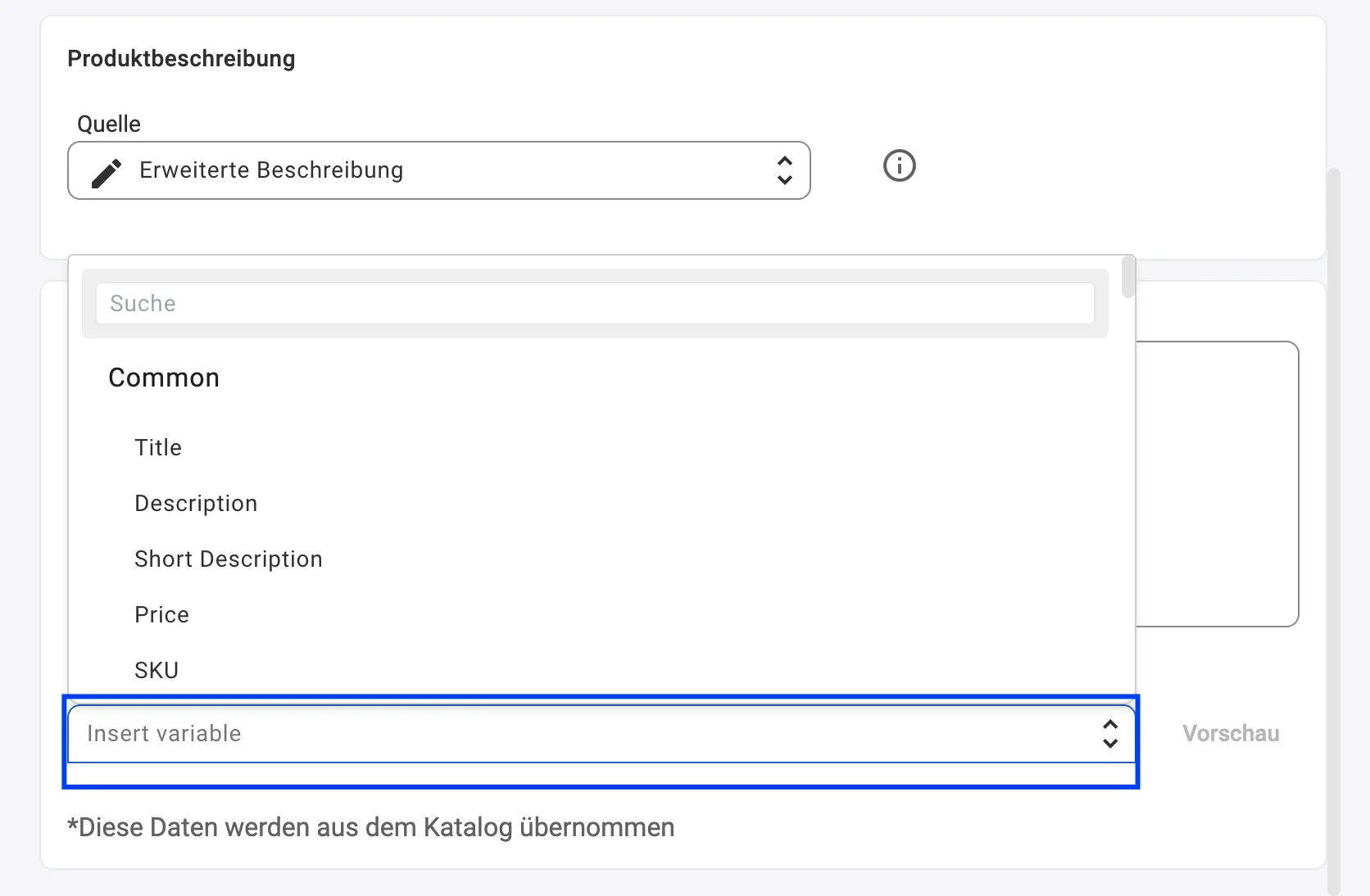
With an Advanced Description, you can paste your HTML template and add dynamic variables such as SKU, images, price, name, or catalog data from the dropdown list (just click on the Insert variable button).
You can also include Store or Catalog attributes, such as Brand or Material, to make your OTTO listing more complete.
Step 5. Check before listing #
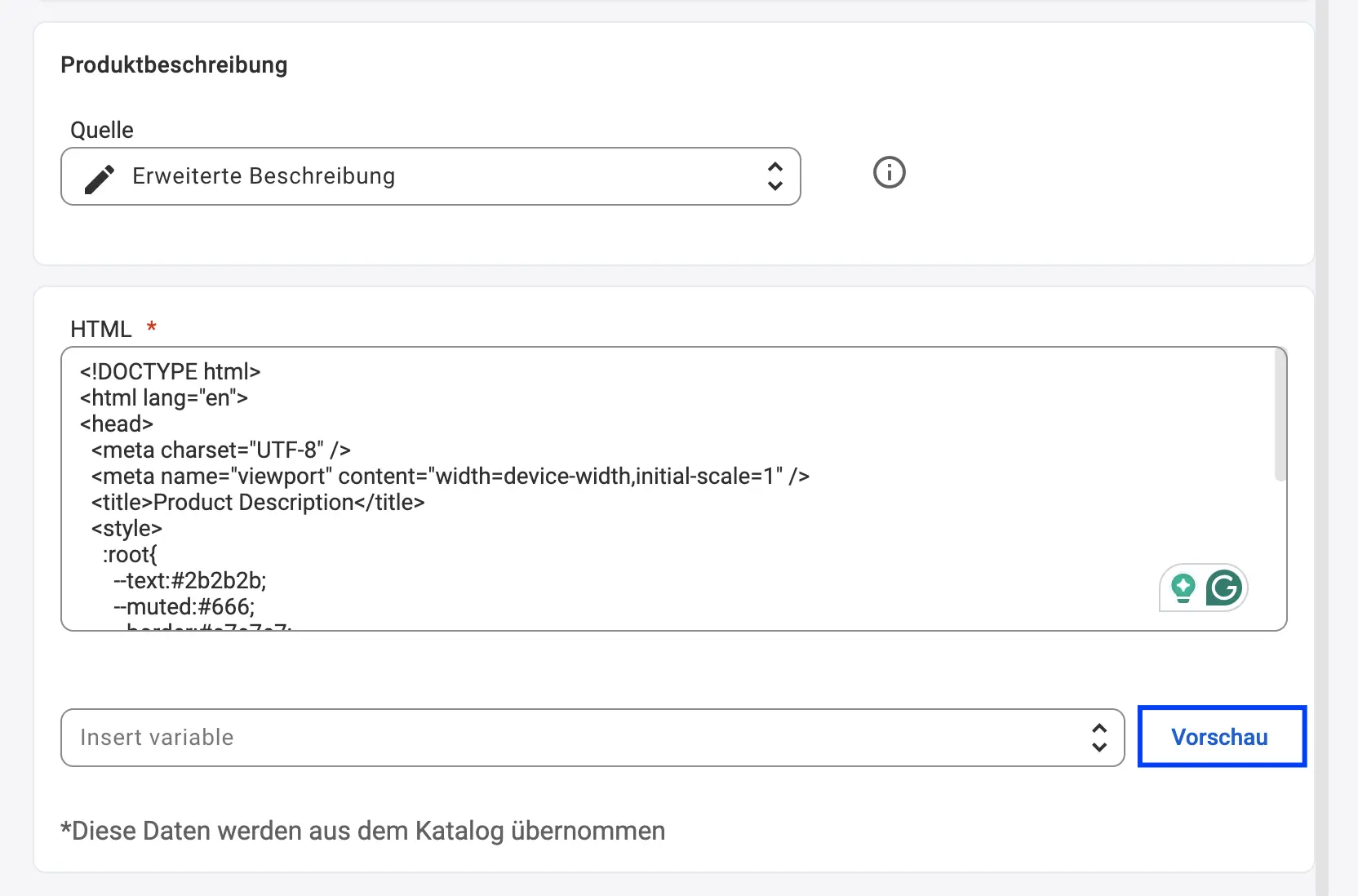
When your template is ready, click Preview to check how the description will appear on Otto.
Make sure the layout looks clean and that every dynamic field pulls the correct data.
Synchronizing titles and descriptions #
M2E Description Policy gives you full control over your OTTO listing content.
If you prefer to keep OTTO titles and descriptions unchanged, you can disable synchronization for these fields in the Synchronization Policy.
This allows you to keep fixed text on OTTO while other product data continues to update automatically.


