
This month’s updates are all about reducing manual work. With new automation for attribute mapping, listing validations, and cross-marketplace listing creation, M2E Cloud continues to simplify day-to-day operations for sellers. Check out the full overview below.
What’s new in M2E Cloud #
Buy shipping labels for TikTok Shop EU orders #
Managing TikTok Shop shipments is now more convenient for European sellers. You can purchase TikTok Shipping labels right in M2E, with no need to switch to the Seller Center at any stage.
TikTok generates the shipping label number and selects the carrier for you. You only need to print the label and drop the package off. The entire workflow – from purchasing the label to tracking the shipment – happens inside your store admin.
ℹ️ TikTok Shipping isn’t enabled by default. It works only for products where the TikTok shipping method is set to Shipped via Platform.
For more details, check out our TikTok Shipping setup guide.
To get started, open any TikTok Shop order, click Ship Order, and select Use TikTok Buy Shipping.
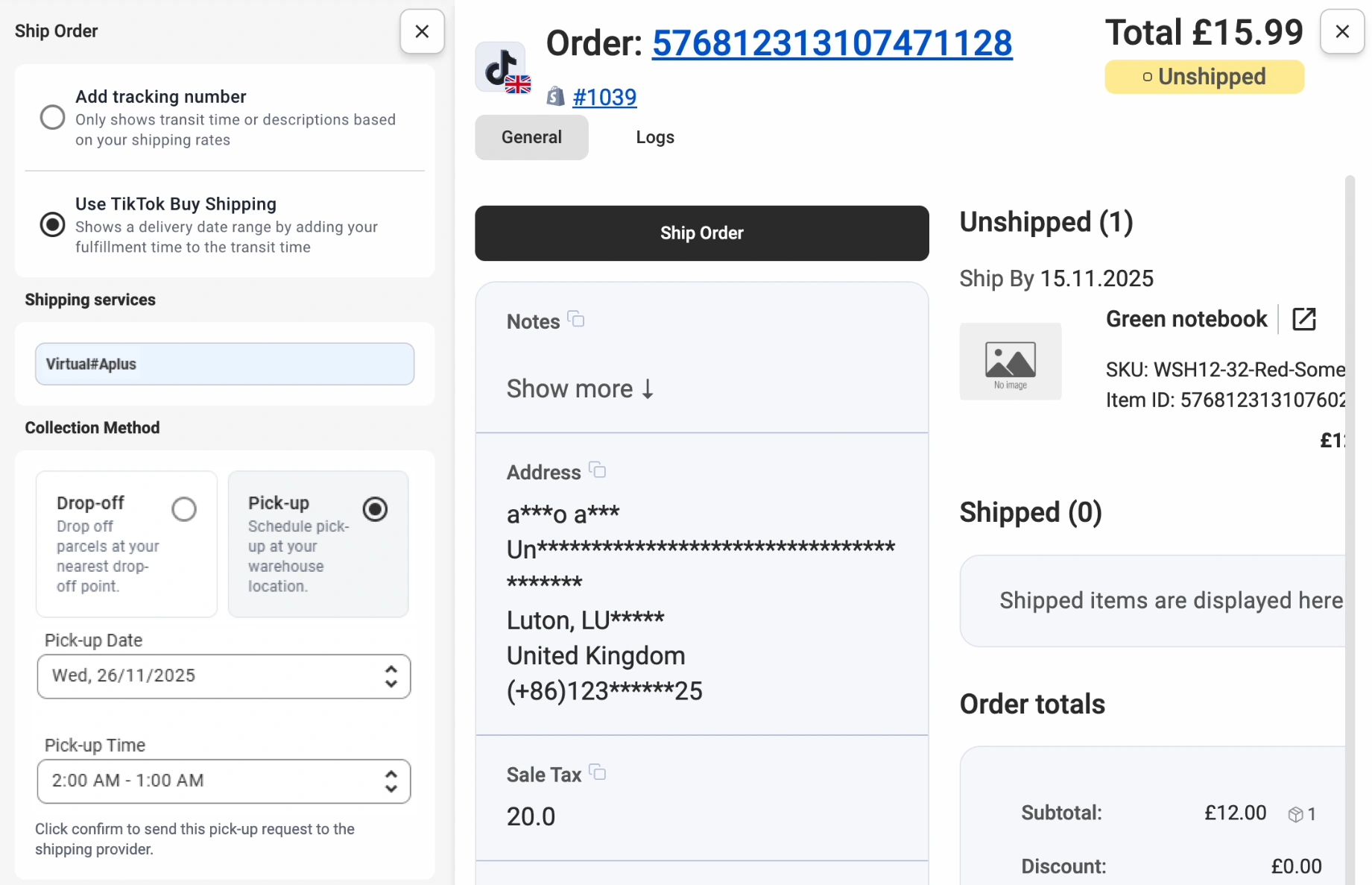
ℹ️ TikTok Shipping is currently available for European orders only. Support for US orders is coming soon.
Copy Channel listings to TikTok Shop #
Looking to expand to TikTok Shop using the listings you already have on Amazon, eBay, or Walmart? Use the new Copy to TikTok feature to turn your existing products into TikTok-ready listings.
Instead of recreating every listing from zero, select your active and linked Channel (eBay, Amazon, Walmart) products in M2E and click Copy to TikTok. The system will prepare your products for publishing on TikTok Shop automatically.
ℹ️ When copying listings, M2E uses your Store or Catalog as the source for product information – quantities, titles, descriptions, images, and other essential details.
Product prices for TikTok Shop listings will be pulled from the Channel items being copied.

💡 View detailed instructions for copying eBay, Amazon, or Walmart listings to TikTok Shop.
Map Temu category attributes at a global level #
Many Temu categories use repeating attributes like Brand, Color, Material, and more. With the global mapping of attributes, M2E lets you save where these values come from in your Store or Catalog. Then, you can reuse them whenever you list items in a new Temu category (the one you haven’t used before) or when switching an existing listing to a new category.
For example, you’ve set up a mapping for Material while listing items in Category A for the first time. M2E will automatically use that same mapping when you later list in Category B for the first time.
To view or delete saved mappings, navigate to Settings > Attributes. Mappings apply to new listings only and don’t affect existing Temu products.

Create compliant Amazon & Kaufland listings #
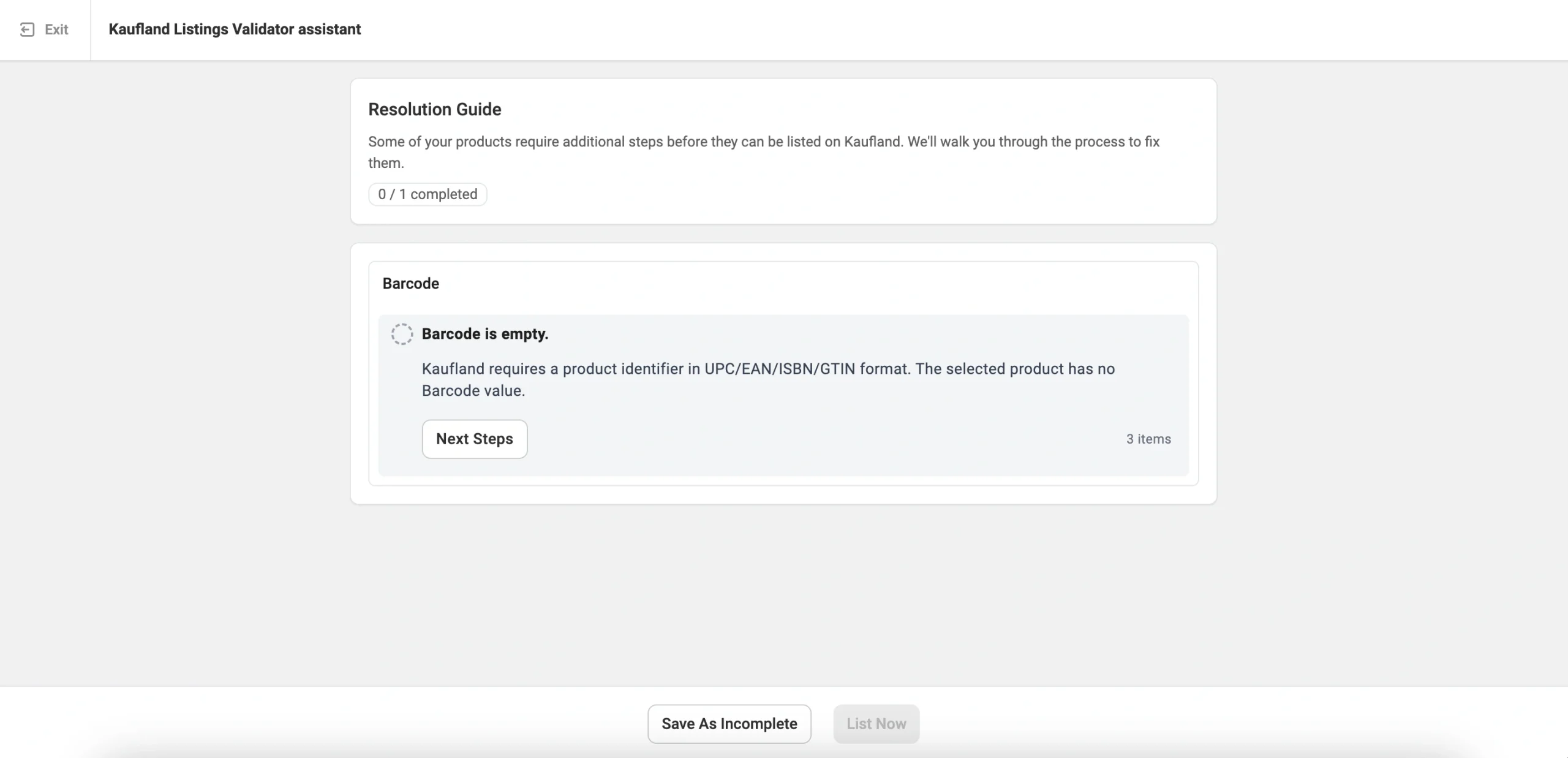
Amazon and Kaufland have strict listing standards, and missing even one detail, especially the barcode, can prevent your products from going live.
The new M2E Listing Validator Assistant checks your listings in advance, highlighting data that’s missing or doesn’t meet marketplace rules. From barcodes to GPSR fields, the tool guides you through what needs updating so your products are ready for immediate approval.
Create new listings on OTTO #
Last month, we launched the first stage of our OTTO Market integration. Now we’re expanding it with support for full listing creation.
You can list both Simple and Variational products from your Store/Catalog to OTTO. The process follows the standard listing workflow you already know: apply your Policy settings, choose the products you want to list, select a category, and set the required attributes.
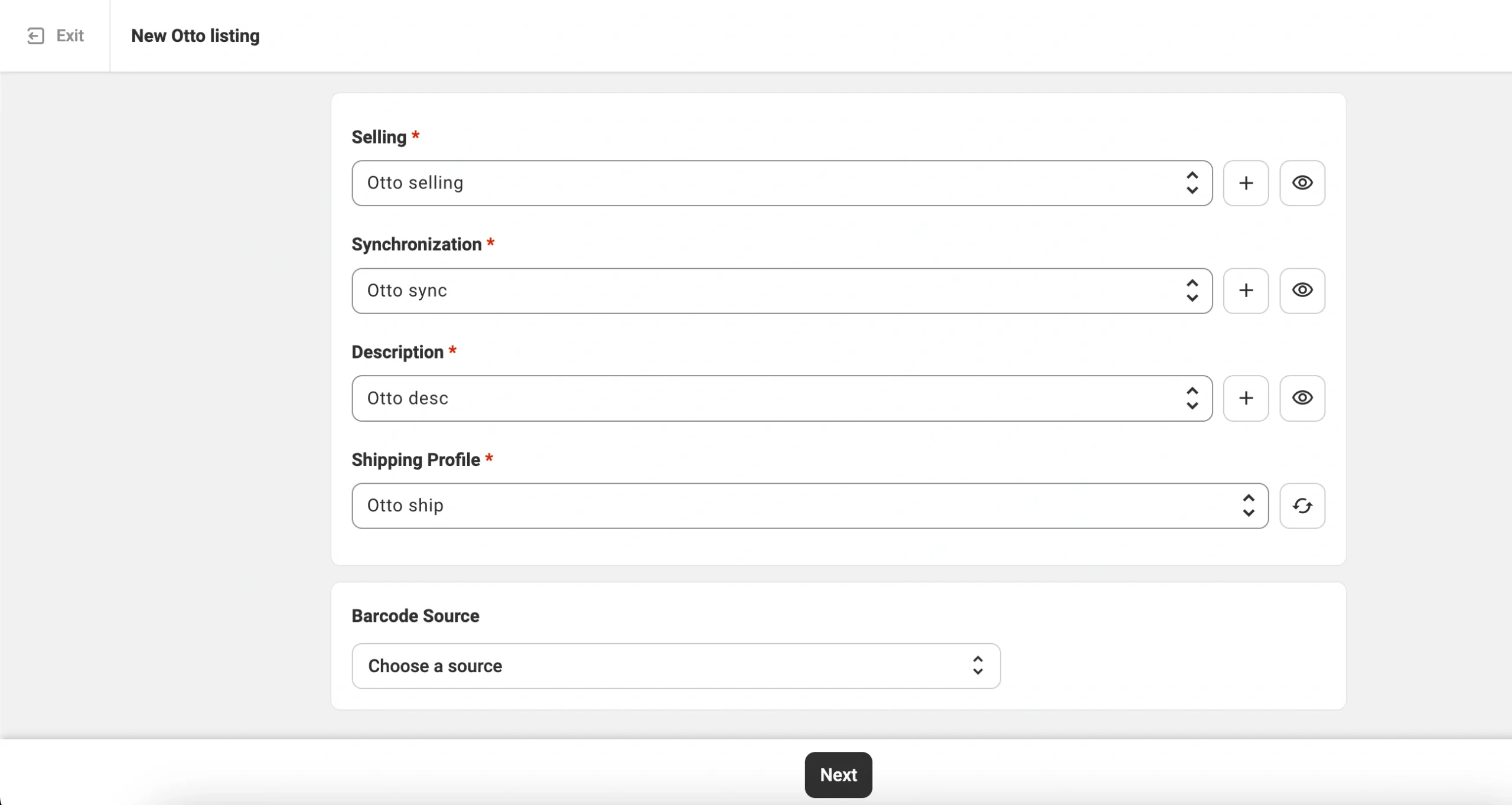
💡 Check out the full OTTO listing guide in our documentation.
What's next in M2E Cloud #
We’re already working on a new set of updates to roll out soon:
- Temu category templates
Predefined templates for category-specific attributes so you can manage them with full control.
- Kaufland variational listings
Full support for publishing products with variations on the Kaufland marketplace.
- OnBuy integration
Management of existing OnBuy products and orders in M2E Multichannel Connect.
Have questions or need guidance? Reach out to our support team anytime. And if you have feedback or feature requests, drop them in the comments section.


