
Starting December 13, 2024, all sellers shipping to Europe and Northern Ireland must comply with the General Product Safety Regulation (GPSR). Temu requires each product to include Manufacturer information and, where applicable, Responsible Person details to meet these safety requirements. Listings missing this data cannot be published.
If you list products on Temu using M2E Multichannel Connect, follow these steps to provide the required details.
Step 1. Add Manufacturer and Responsible Person in Temu Seller Center #
Before you can select GPSR details in M2E, create them in your Temu Seller Center:
- Go to Performance > Account Health > Manage Your Compliance > Responsible Person / Manufacturer.
- Add the Manufacturer and Responsible Person information.
- Wait until Temu approves your entries.
Once approved, they’ll automatically sync with M2E and become available for selection during listing.
Step 2. Review GPSR requirements in the Listing Validator #
When you list new products on Temu, M2E checks whether GPSR information is included at the last step of the listing process.
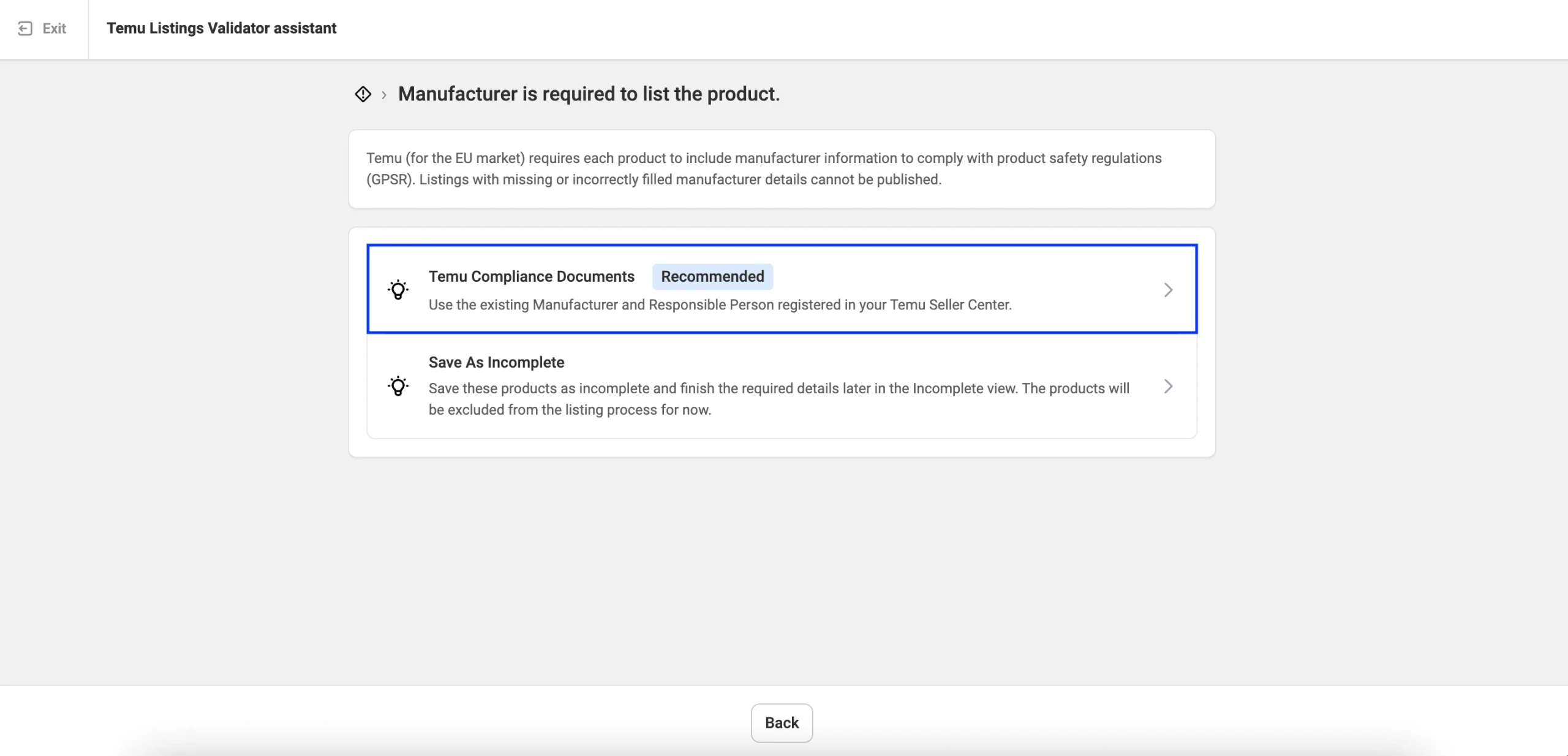
The Temu Listing Validator Assistant will show the message: “Manufacturer/Responsible Person is required to list the product.”
Click Next Steps to proceed.

Step 3. Provide GPSR details #
Select the recommended solution to use the existing Manufacturer and Responsible Person registered in your Temu Seller Center.
For each Temu brand included in your current listing batch, you need to select the correct Manufacturer and Responsible Person from the drop-down list. The list will include only the approved entries from your Temu Seller Center.

If you have recently added or edited Manufacturer or Responsible Person details in Temu Seller Center, click the double-arrow (refresh) icon to update the lists.
✅ To create a new Manufacturer or Responsible Person during listing:
Click Add Manufacturer or Add Responsible Person in the drop-down within the GPSR Details column. After adding the details in your Temu Seller Center, return to M2E, click Refresh, and select the newly created entry.
Click Save once the GPSR details are provided.
Save Manufacturer and Responsible Person mapping #
When you enter Manufacturer and Responsible Person details for a Temu Brand for the first time, M2E can create a global mapping. It means linking this Brand to the provided Manufacturer and Responsible Person details.
You'll see a prompt asking if you want to save this mapping. Click Save as global mapping, and M2E will automatically fill in these GPSR details whenever you create new listings for the same Brand across all Temu categories.

You can view and remove the saved mappings under Settings > Mapping > Manufacturer/Responsible person:

Step 4. Complete the listing #
Once saved, the Listing Validator will show the requirement as Completed.
Click List Now to let M2E publish your products on Temu with the specified GPSR information.

✅ If you run into issues while providing GPSR details, please contact the M2E support team for assistance.


