
M2E Multichannel Connect facilitates the seamless listing of vehicle parts and accessories by leveraging eBay’s Parts Compatibility feature. This feature enables sellers to specify which vehicles each product is compatible with.
Parts Compatibility is available for eBay Motors, Canada, Australia, United Kingdom, Germany, Spain, France, and Italy.
💡 Watch a video tutorial on how to assign eBay Parts Compatibility information to your listings.
Here is a step-by-step guide on assigning compatibility information to your products through M2E:
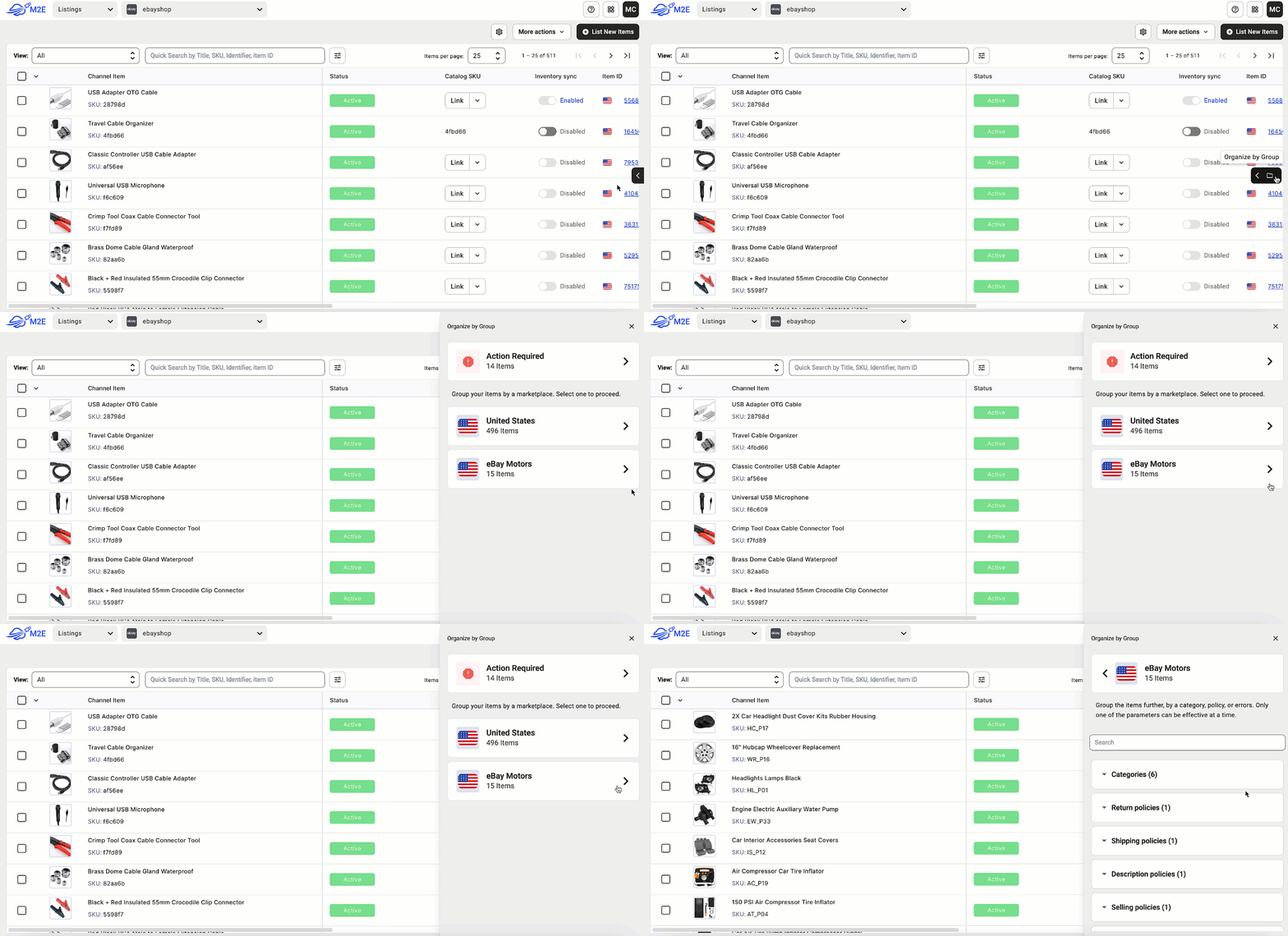
- Navigate to eBay Listings tab. Group items by the Marketplace, which supports the Parts Compatibility feature.
- Use the Quick Search field and filters to find your items by title, price, quantity, SKU, or other parameters. Select the items you need, click the three dots, and submit the Add Compatibility action.

You can also reuse fitment (Parts Compatibility) details from existing eBay listings. This saves time and helps you provide accurate information about compatible vehicles.
For that, after selecting the needed items, click Compatibility > Duplicate Fitment from the mass actions menu.

Find the listing by eBay ID from which you want to duplicate fitment and apply it to the selected items.
If you prefer to select the needed compatible vehicles yourself, proceed to step 3.
- After you submit the Add Compatibility action, you’ll see a list of compatible vehicles. To find the relevant vehicles, filter them using Make, Year, Type, ePID/kType, etc. For even more precise results, sort through the vehicles by Year, Model, Submodel, or other parameters.

Use the Save to Clipboard feature to add a wide range of compatible vehicles at once, whether from different brands or production years, so your listings cover all possible matches.

- Once you’ve selected all the necessary vehicles, hit the Add Compatibility button.

- Lastly, choose how to save the vehicles’ information. You can Add the selected vehicles to your eBay items or Override them (if you already have some added compatible vehicles you don’t need).

You also have the option to provide extra details for the selected compatible vehicles that the app will submit to eBay. Once done, Confirm the changes.
If your products are already listed, M2E Multichannel Connect will submit the Parts Compatibility information you’ve just indicated to eBay. In case your items aren’t on eBay yet, select them from the grid and submit the List action.
If you need to edit parts compatibility details for individual items, you can easily do so with one click in the ePID/kType column.

Helpful Resources
- How to Sell Motorcycle Parts on eBay


