
Follow the steps below to link your Mirakl seller account with M2E Multichannel Connect.
Step 1. Select your marketplace #
In the Select marketplace section, choose your Mirakl marketplace. M2E supports 450+ Mirakl-powered marketplaces, such as AUTODOC, B&Q, Best Buy, Rein, and more. Use the Search marketplaces field to find yours quickly.
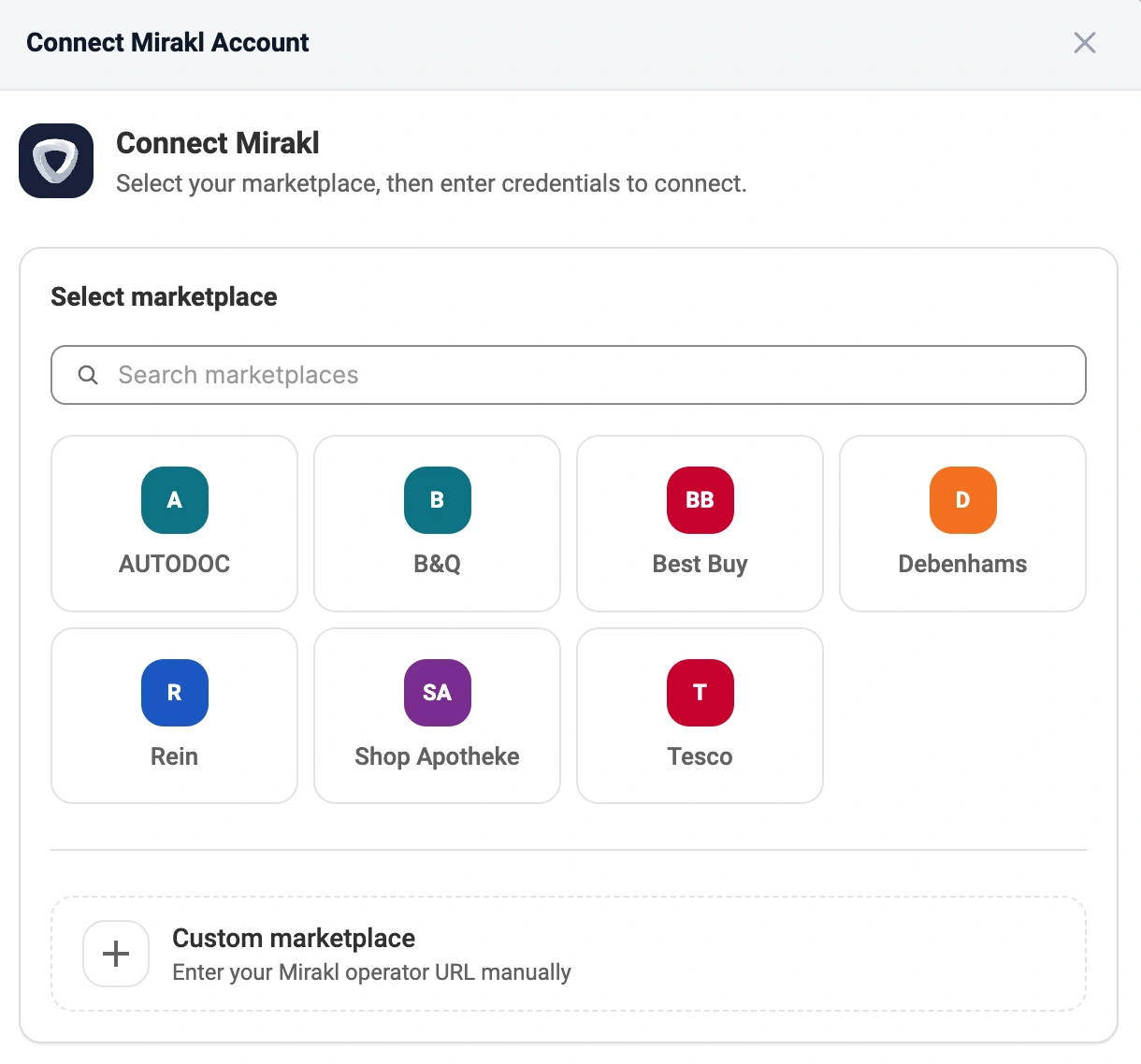
ℹ️ Don't see your marketplace in the list? Select Custom marketplace and enter your operator URL manually by following step 2. Otherwise, skip to step 3.
Step 2. Enter the Operator URL (custom marketplace only) #
If you've selected Custom marketplace, provide the Operator URL:
1) Go to your Mirakl Seller Admin.
2) Copy the URL from your browser's address bar.
⚠️ Make sure to copy only the domain part, not the full path, up to the first slash after the domain. The URL should be in the following format:
https://{seller-admin-base-url}For example, if your browser shows
https://seller.mirakl.net/shop/account/, copy onlyhttps://seller.mirakl.net.
3) Paste the URL into the Operator URL field.
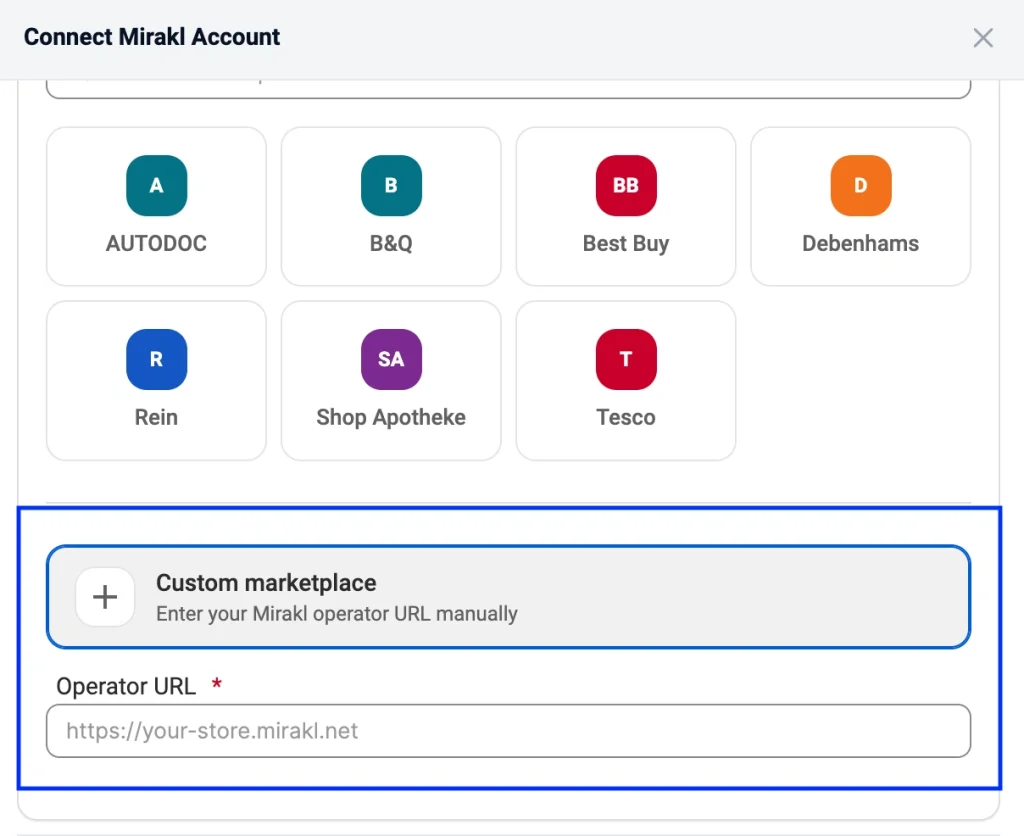
Step 3. Provide API key #
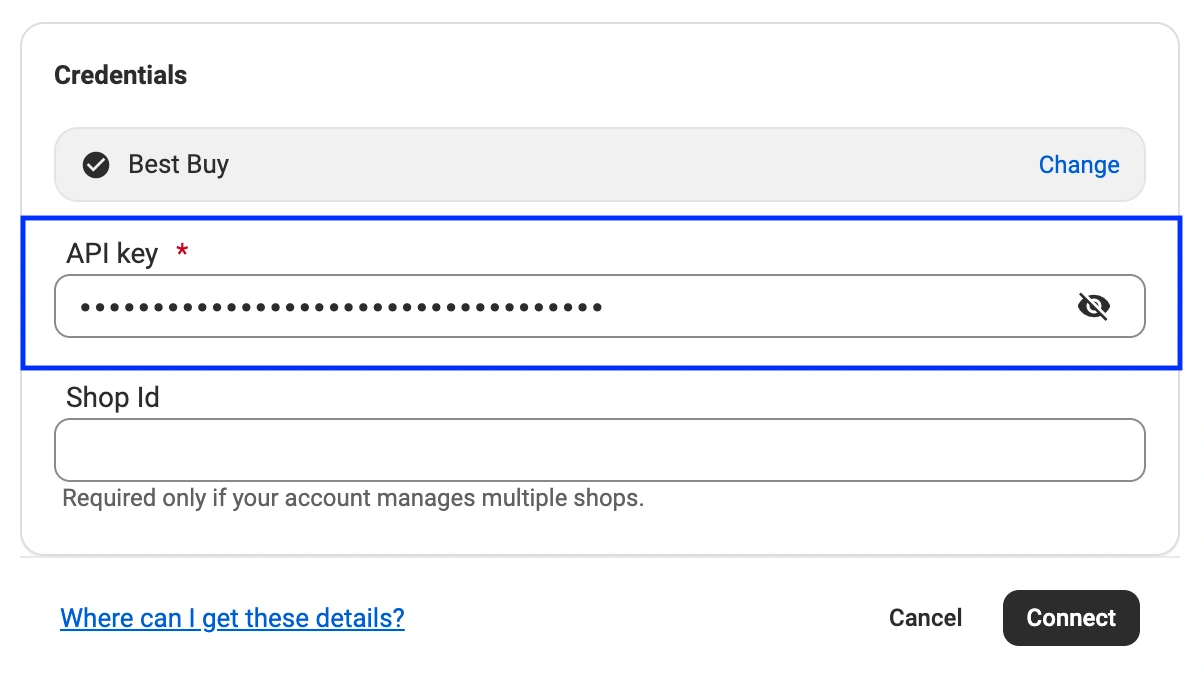
Once you've selected a marketplace, scroll down to the Credentials section where you need to provide the API key.
To get your API key:
1) Log in to your Mirakl Seller Admin (seller back office).
2) Click your profile picture in the top-right corner.

3) Select Personal settings from the drop-down menu.

4) Navigate to the API key tab.

If the key already exists, click Copy API key.
If there's no key yet, click Generate key, then copy it.
5) Back in the app, paste the key into the API key field.
Step 4. Enter Shop ID (optional) #
If you have multiple shops within the same Mirakl marketplace, enter your Shop ID.
ℹ️ If you only have one shop on your marketplace, you can leave this field empty.
1) On the Dashboard page of your Mirakl Seller Admin, find your Shop ID.

2) Copy and paste it into the Shop Id field in the app.

Step 5. Complete the connection #
Click the Connect button. M2E will validate your credentials and establish the connection.
If the details are correct, you'll see a success message confirming that your Mirakl account is now connected.
ℹ️ In case you've connected your Mirakl account to M2E and later regenerate your API key in Mirakl, you'll need to update the connection. Go to Settings > Sales Channels in M2E, find your Mirakl account, and enter the new API key.
✅ If you run into issues during the connection process, please contact our support team.


