
Starting December 13, 2024, all sellers shipping to Europe and Northern Ireland must comply with the General Product Safety Regulation (GPSR). You must provide accurate Manufacturer details and safety documents. If you don’t, TikTok Shop may apply penalties or remove your products.
Who Must Comply #
GPSR applies to most non-food consumer products sold in the EU. This includes new, used, repaired, and refurbished goods.
However, certain categories, such as medicinal products, food, beverages, and live plants or animals, are exempt from this requirement.
Key Requirements #
1. Appoint a Responsible Person (RP) #
For non-food products on TikTok Shop, sellers must designate a Responsible Person (RP) based in the EU. This individual serves as a primary point of contact for regulatory authorities and is responsible for ensuring that products meet all applicable safety requirements.
It's necessary to display the RP's contact details on the product packaging or documentation in a language understood in the target EU market.
2. Provide manufacturer & importer information #
Every product must clearly show:
- Manufacturer name & contact details
- Importer details (if applicable)
- Clearly visible safety information
These details must appear on the product itself and in the TikTok Shop listing.
3. Check labelling & traceability #
Each product must have a unique identifier, such as a model number or batch code. Listings must include clear images, accurate descriptions, and any required warning labels.
ℹ️ Sellers must upload all compliance details and safety certifications directly to TikTok Shop Seller Center under the appropriate product categories. For the detailed instructions, refer to the TikTok Shop documentation.
How to submit GPSR information to TikTok Shop with M2E #
M2E Multichannel Connect helps you keep TikTok Shop listings in line with EU GPSR rules with less manual work.
Step 1. Add a Manufacturer and a Responsible Person in the TikTok Qualification Center #
First, set up your GPSR data in TikTok Shop.
1) Open your TikTok Shop Seller Center and go to the Qualification Center.
2) Add your Manufacturer, including name, address, and contact details.
3) For each Manufacturer based outside Europe, add at least one Responsible Person.
4) Wait for TikTok Shop to approve your entries.
Repeat this for all brands and suppliers you use. TikTok allows you to add multiple Responsible Person records per Manufacturer.
Ensure the Manufacturer and Responsible Person you plan to use appear here – M2E relies on these records when listing or relisting products.
Step 2. Submit GPSR details when listing new products #
When listing new products on TikTok Shop through M2E:
Open your Synchronization Policy. Create a new policy (click +) or use your existing one – just ensure GPSR details are enabled.
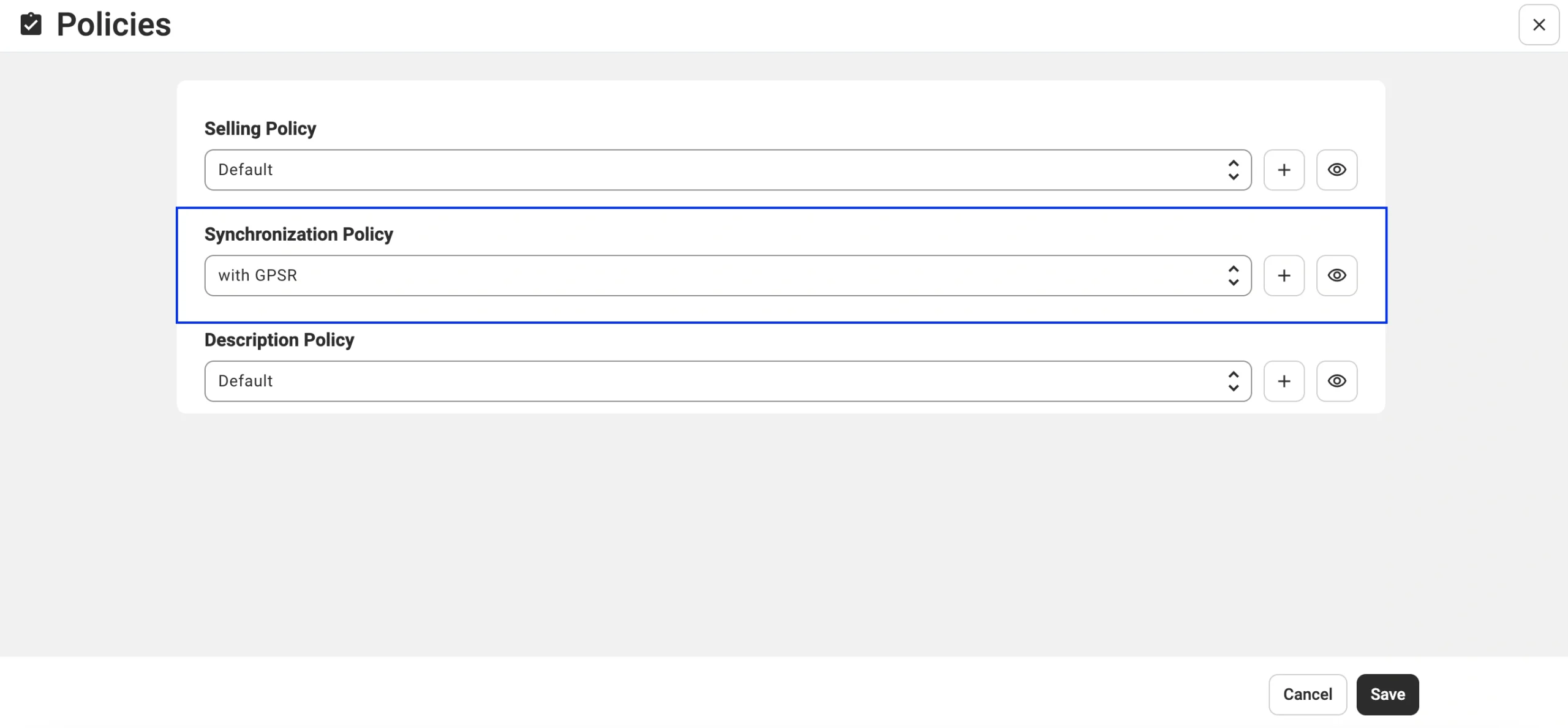
ℹ️ When you list new products, M2E checks whether the Brand you selected matches a Manufacturer you previously added in the TikTok Shop Qualification Center.
What happens if GPSR details are missing
If the Brand can’t be matched to a Manufacturer or Responsible Person, the Listings Validator Assistant opens and shows brands that require GPSR details.
Click Next Steps to continue.

Two scenarios are possible:
1) Manufacturer & Responsible Person already exist in TikTok
The assistant prompts you to select the correct Manufacturer and Responsible Person for each brand.
Click Next Steps to confirm M2E’s suggestion.

On the brand mapping screen, select the correct Manufacturer and Responsible Person from the dropdown for each brand.

ℹ️ These dropdown lists come directly from your TikTok Seller Center and include only existing records.
2) Required records are missing in TikTok
If something is missing, the assistant will show which Manufacturer or Responsible Person must be added.
Click Add in the dropdown to open the TikTok Shop Seller Center and create the required entry.
After adding the record, return to M2E, click Refresh, and select the new item from the dropdown.
Save Manufacturer and Responsible Person mapping #
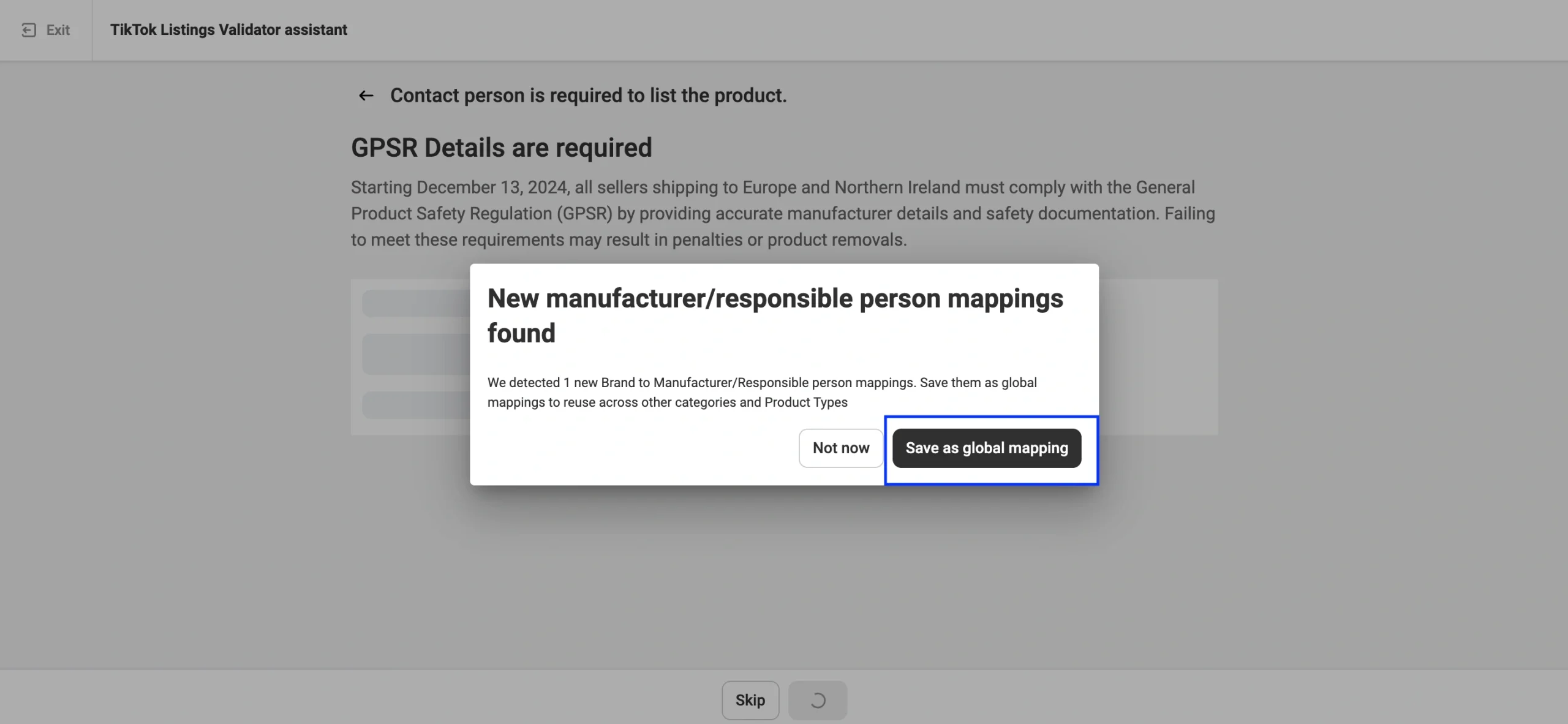
When you add Manufacturer and Responsible Person details for a TikTok Shop Brand, M2E will ask if you want to save this information for future use.
If you click Save as global mapping, M2E will remember which Manufacturer and Responsible Person belong to this Brand. The next time you create a listing for the same TikTok Shop Brand, these GPSR details will fill in automatically, saving you from entering them again.
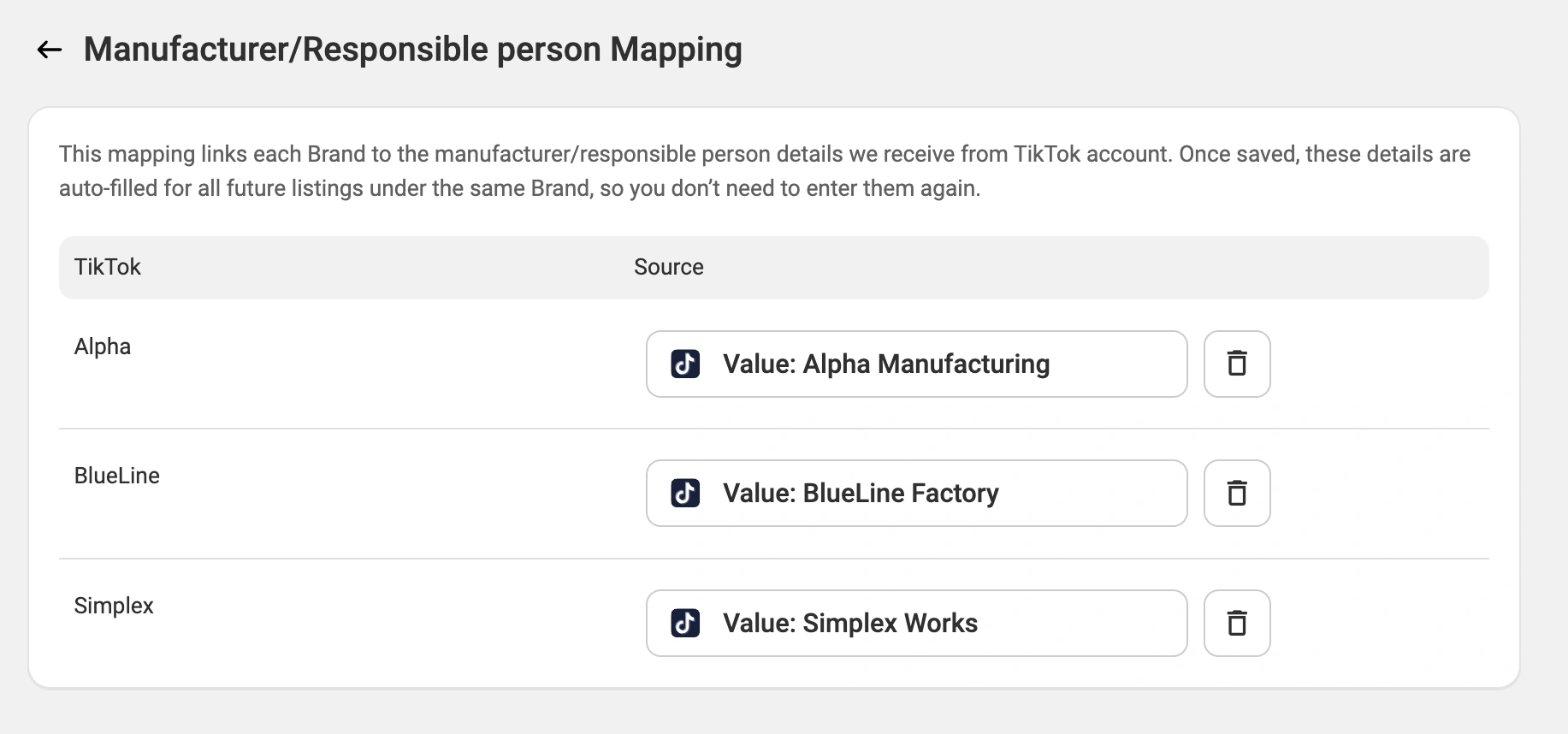
To review or delete your saved mappings, navigate to Settings > Mapping > Manufacturer/Responsible person:
Step 3. Check the GPSR information in existing listings #
You can check which TikTok Shop listings already have GPSR data:
1) Go to the TikTok Shop Listing tab.
2) Click on the Filter icon and pick Has GPSR details.
- Yes shows products listed through M2E with all the required GPSR data.
- No shows products missing GPSR data or listed outside M2E.

To check if there are issues, open the Action required section.
If there are errors, the Listings Validator Assistant will show: ‘Manufacturer/Responsible Person is required to list the product.’
Select the affected items and use Mass actions > Manage items > List to reopen the Assistant and fix missing data.
Step 4. Complete your listings #
Once all GPSR details are added and validated with no remaining errors, click List Now to publish your products on TikTok Shop.
If you need help at any point, contact our support team.


