
M2E Multichannel Connect allows you to control when automatic order creation begins, ensuring smooth integration between your sales channels and your e-commerce store.
Benefits of automatic order creation #
- Increased Efficiency: Automates order entry, reducing manual work.
- Better Customer Experience: Faster order processing improves service.
- Scalability: Supports business growth without adding complexity.
How to set up automatic order creation from a specific date #
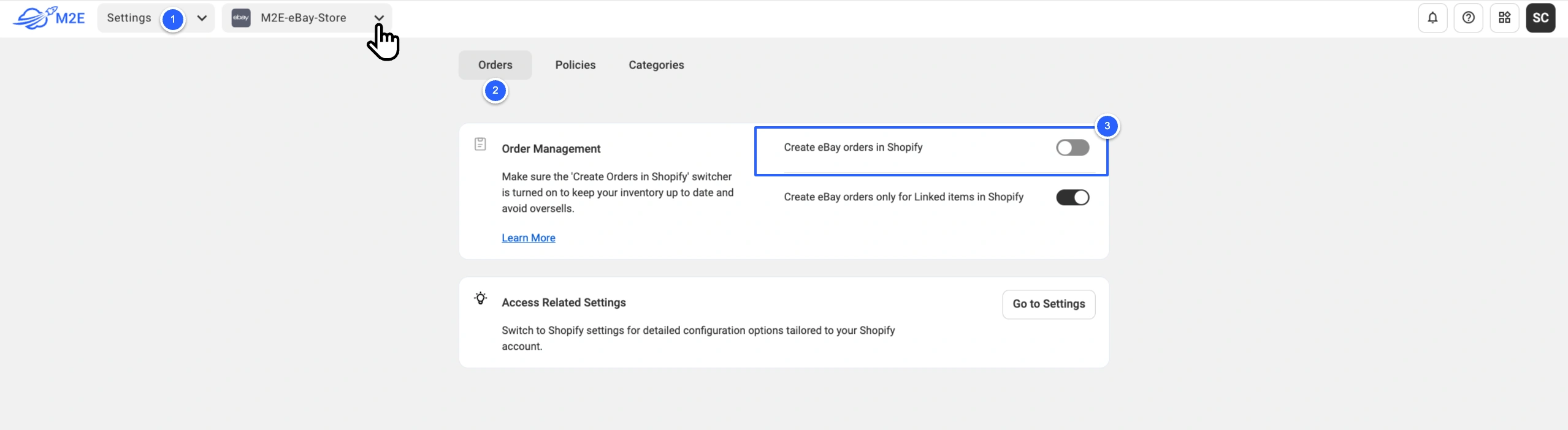
1) Navigate to the Settings tab.
2) Select your Channel account using the account switcher.
3) Switch to the Orders section.
4) Enable automatic order creation by clicking on the toggle ‘Create Channel orders in Store’.
5) Set the Start Date, which is the date from which orders should be created automatically. You can select a past or future date.
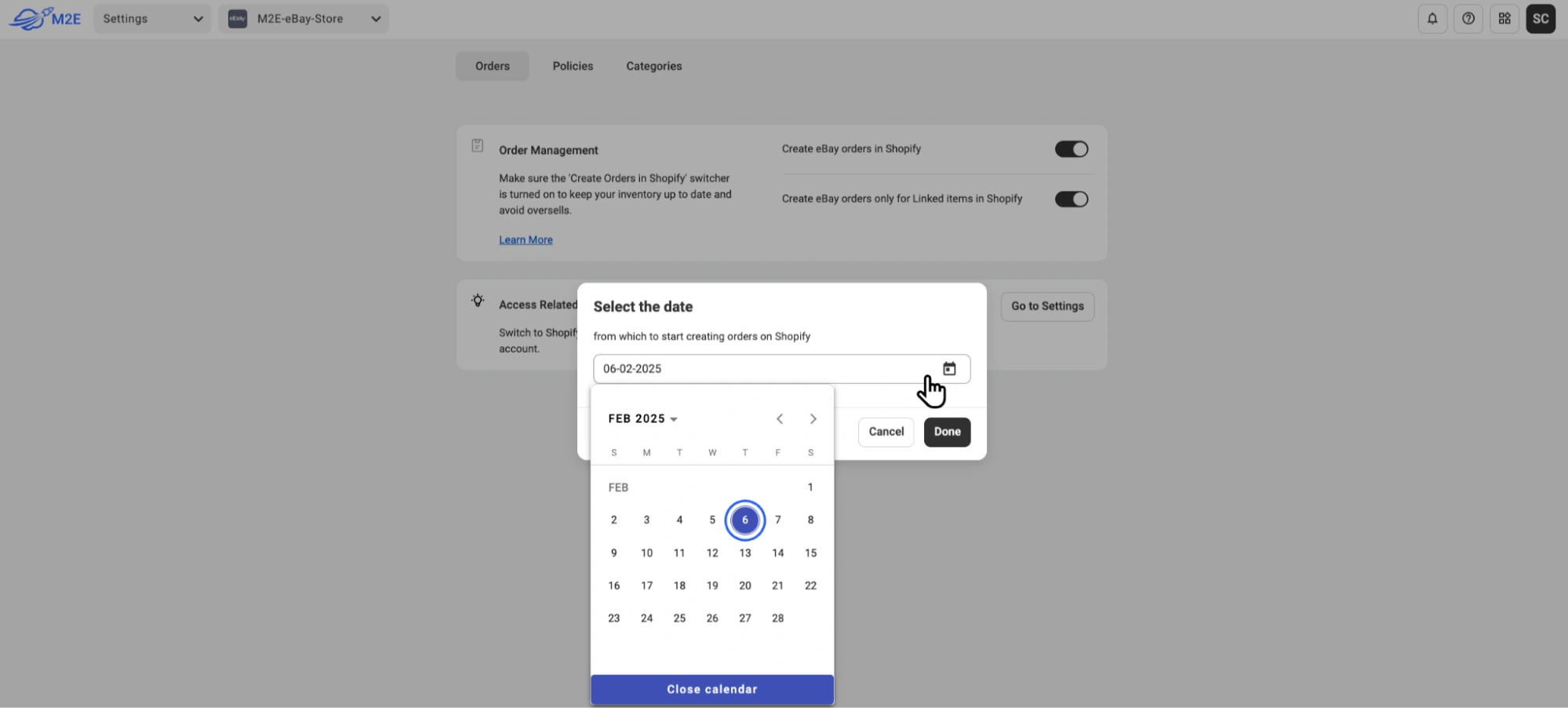
6) Save the changes.
⚠️ You’ll need to configure order creation separately for each Channel (eBay, Amazon, Walmart, TikTok Shop, etc). Use the Account Switcher to move between accounts.
How order creation works #
After configuring automatic order creation, M2E Multichannel Connect will automatically create corresponding store orders for any new Channel orders placed on or after the specified date. This removes the need for manual entry and simplifies your workflow.
If you need to create any Channel order before the automatic creation date you have set, you can do it manually. Navigate to the Orders tab and click the 'Create Order in Store' button within the order card:


