
Temu's pre-sale feature allows you to keep selling products with zero regular inventory when you are expecting a restock. This way, you can continue selling during inventory transitions instead of showing items as out of stock to customers.
M2E Multichannel Connect supports Temu pre-sale orders and imports them into your e-commerce platform. This guide explains how pre-sale works on Temu, how M2E processes these orders, and how to identify them in your store.
How pre-sale works on Temu #
Pre-sale is a feature you can enable in your Temu Seller Center > Manage Products. You can use it when regular stock runs out, but you expect new inventory, or when you want to accept orders ahead of time for upcoming product releases or holiday periods.
When pre-sale is enabled, Temu customers will see a label indicating the item is available for pre-order with a later shipping date.
M2E's workflow for pre-sale orders #
A customer places an order on Temu for a pre-sale item. Temu processes the payment and creates the order.
M2E imports the pre-sale order to your store (such as Shopify) with the following details:
- A "Pre-order" tag is automatically added to the order, so you can identify it in your order list.

- The order is processed as a regular purchase with full payment from the customer.
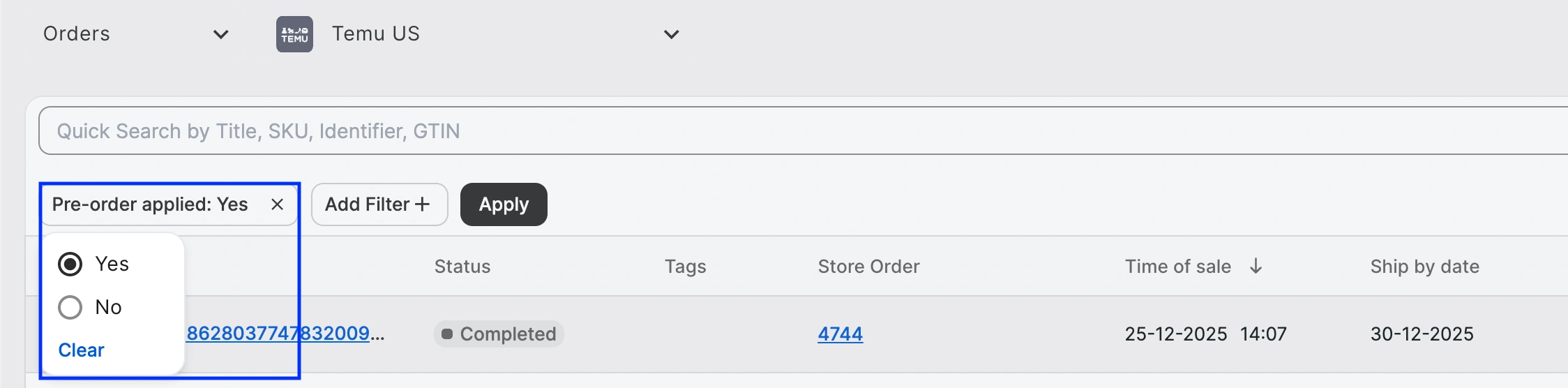
To view all pre-sale Temu orders at once, use the "Pre-order applied" filter in M2E Multichannel Connect. This helps you track which orders need restocked inventory before fulfillment and plan your restocking priorities accordingly.
Need help? #
For additional questions on managing Temu pre-sale orders in M2E, please contact our support team.


