
If you see the error “Product with barcode xxxxxxxxxxxxx not found” when listing products on Kaufland, it means that Kaufland couldn’t find an existing product in its catalog with the EAN you provided. In other words, this item doesn’t yet exist in the Kaufland catalog and must be created as a new product entry.
Follow the steps below to resolve the issue in M2E and list your products on Kaufland.
Common reasons #
This error typically appears when:
- The EAN is valid but not yet associated with any PID in Kaufland’s catalog.
- The product is new to Kaufland and has never been listed before.
- The EAN was recently created and is not recognized in Kaufland’s database yet.
How to fix the error #
Step 1. Verify your EAN #
Ensure the EAN assigned to your Store/Catalog product is valid and GS1-registered. Kaufland only accepts official identifiers.
Step 2. Create a new PID #
Since the product doesn’t exist in Kaufland’s catalog, you will need to create a new PID in M2E Multichannel Connect:
1) Go to the Listings page in M2E Multichannel Connect and use filters to display the products marked with this error. See our quick guide on how to locate listings that require your attention.

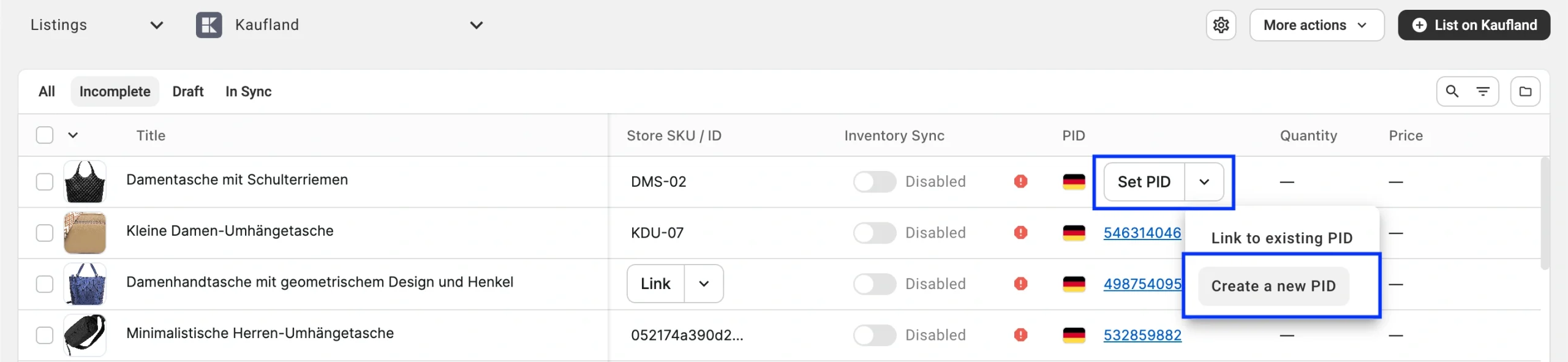
2) Click Set PID > Create a new PID next to the item.
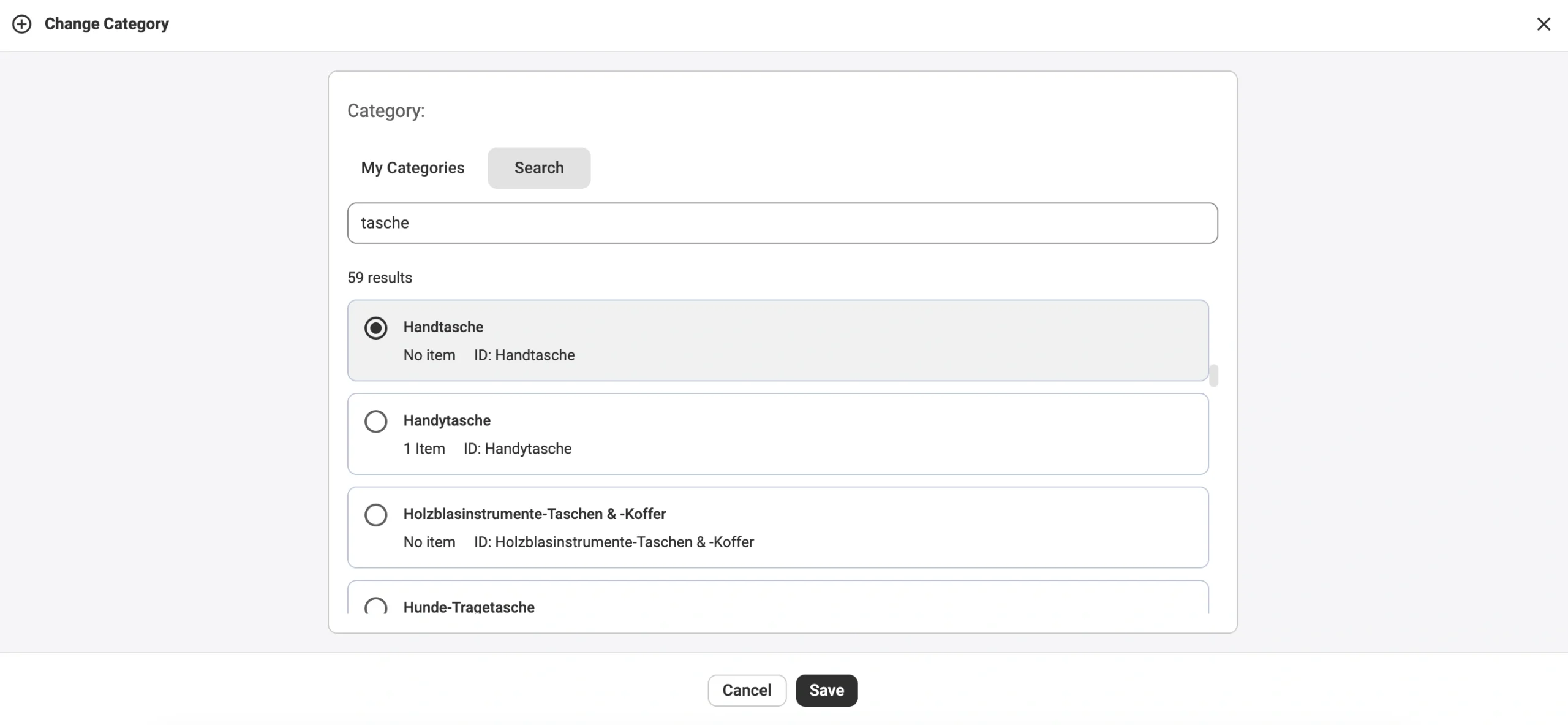
3) Choose the correct Kaufland category for your product.
4) Fill in all required and recommended attributes.
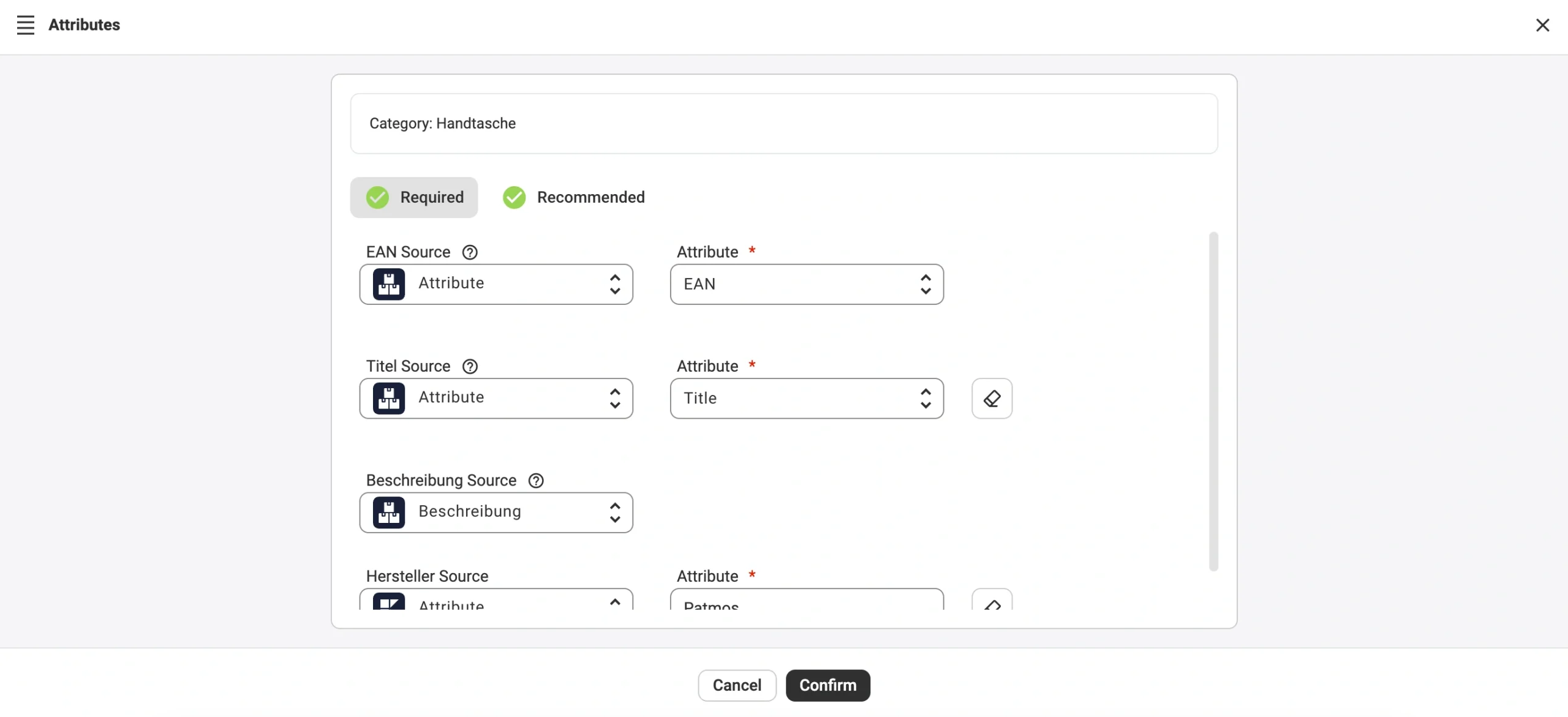
5) Confirm to submit the new product data for review.
M2E will automatically send your offer under the new product entry. Kaufland will review the information and, if everything meets their standards, will create a new catalog entry with its own PID.
💡 For more details on how Kaufland PIDs work and how to create them in M2E Multichannel Connect, see our step-by-step guide.


