
Starting December 13th, 2024, all sellers shipping products to Europe or Northern Ireland must meet General Product Safety Regulation (GPSR) requirements. As a Germany-based marketplace, OTTO requires accurate Manufacturer and Responsible Person details for successful product listing.
With M2E Multichannel Connect, you can manage and submit all required GPSR information for your OTTO listings. This guide explains how to set it up.
Step 1. Create Manufacturers #
Start by adding the manufacturers responsible for producing your items.
1) In M2E Multichannel Connect, open the Settings page and select your Store account.
2) Go to the GPSR Details tab and click Add Manufacturer.

3) Enter the Manufacturer’s name, address, contact details, and other required fields.

4) Next, fill in the EU Responsible Person details.
ℹ️ A Responsible Person is required only if the manufacturer is located outside Europe.
If you have several responsible persons for the same manufacturer, click Add Responsible Person. You can add up to 5 persons per manufacturer.
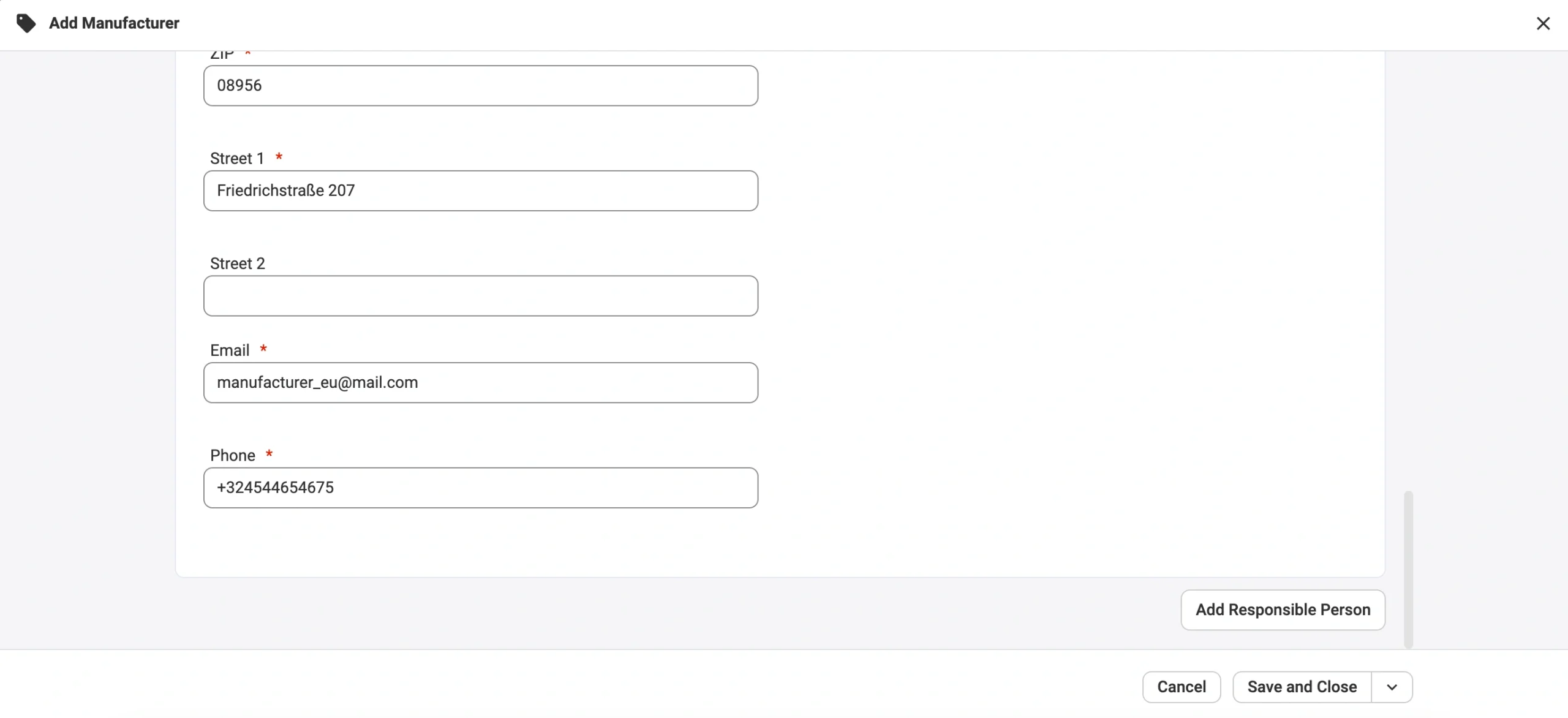
5) Repeat the process for every manufacturer you work with.
Click Save and Close when finished.
✅ Inside the GPSR Details tab, you can:
- Track assigned products – see how many products use each manufacturer.
- Edit manufacturer information – update or correct details at any time.
Step 2. Submit Manufacturer data to OTTO for new listings #
When listing new products, M2E will automatically submit your GPSR data to OTTO. You only need to make sure that the Brand and Manufacturer information are set correctly.
1) Check that your Manufacturers and Responsible Persons are created.
Follow Step 1 to specify accurate information.
2) Provide a correct Brand value in your Category Attributes.
To submit GPSR information to OTTO, you need to provide an accurate Brand value in your category settings. This Brand should correspond to one of the Manufacturers you have created in the GPSR Details tab.

When you submit a listing, the M2E Validator Assistant checks whether the Brand you provided matches a Manufacturer name. If the match is found, M2E sends the GPSR details to OTTO automatically.
If the information doesn’t match, the listing cannot be published. You will see an error explaining what needs to be corrected. Continue to the next step to learn how to resolve it.
Step 3. Validate GPSR details for new OTTO listings #
If the Brand information does not match, the M2E Validator will show an issue stating that a manufacturer is required for GPSR compliance.
To resolve the issue:
1) Click Next Steps next to the validator message.
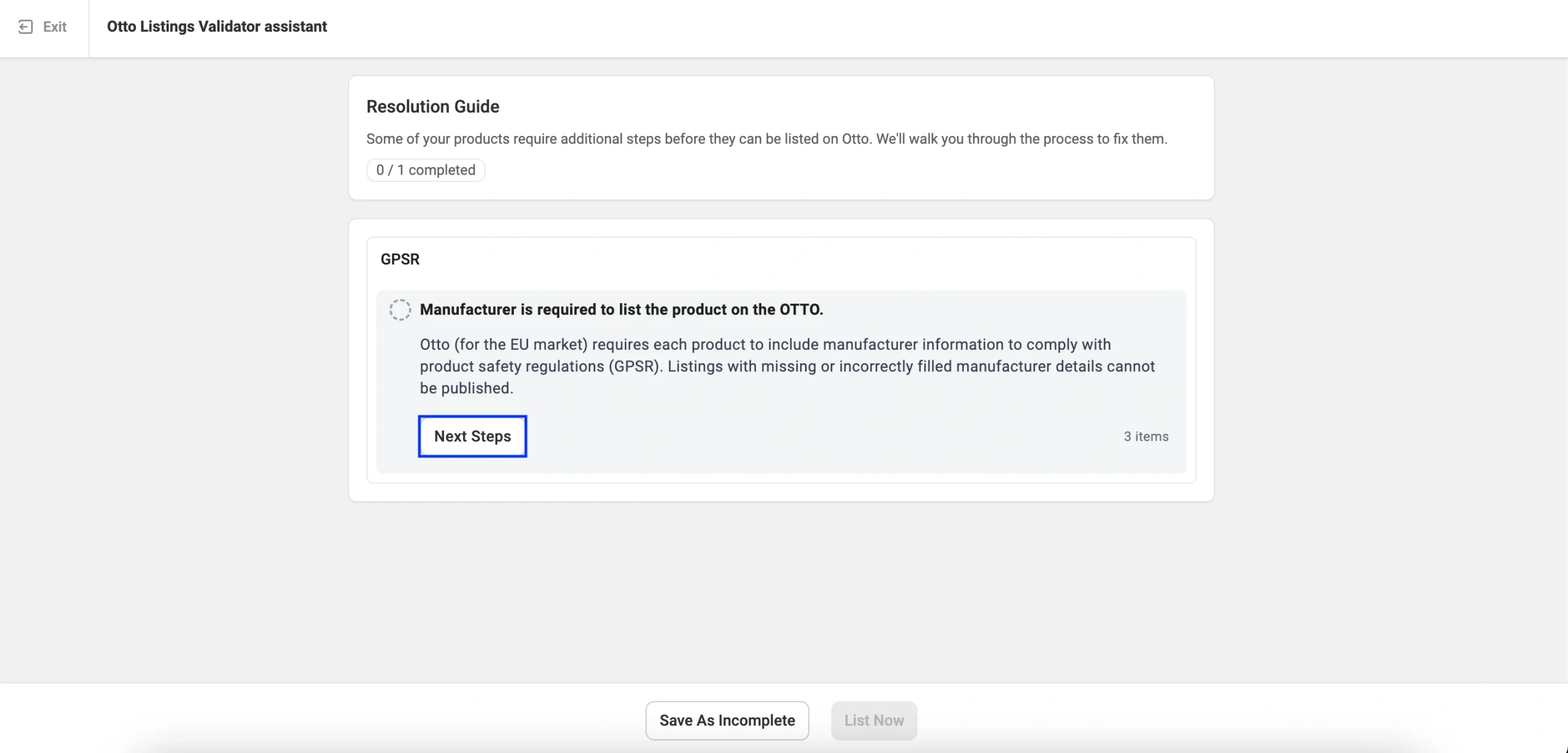
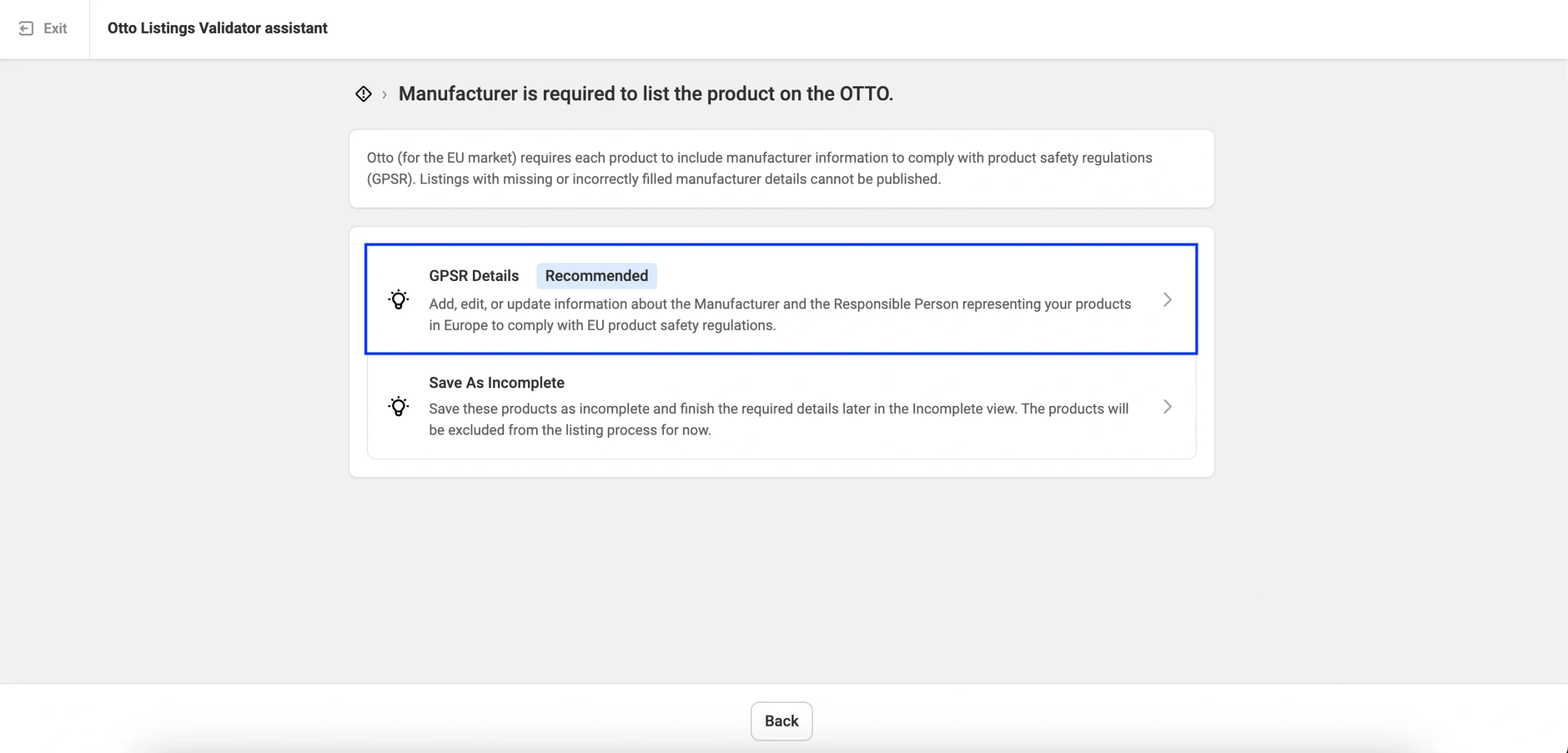
2) Choose the recommended action: Add, edit, or update Manufacturer/Responsible Person information.
3) For the Brand(s) you’ve selected in OTTO category settings, choose the correct Manufacturer from the drop-down list.
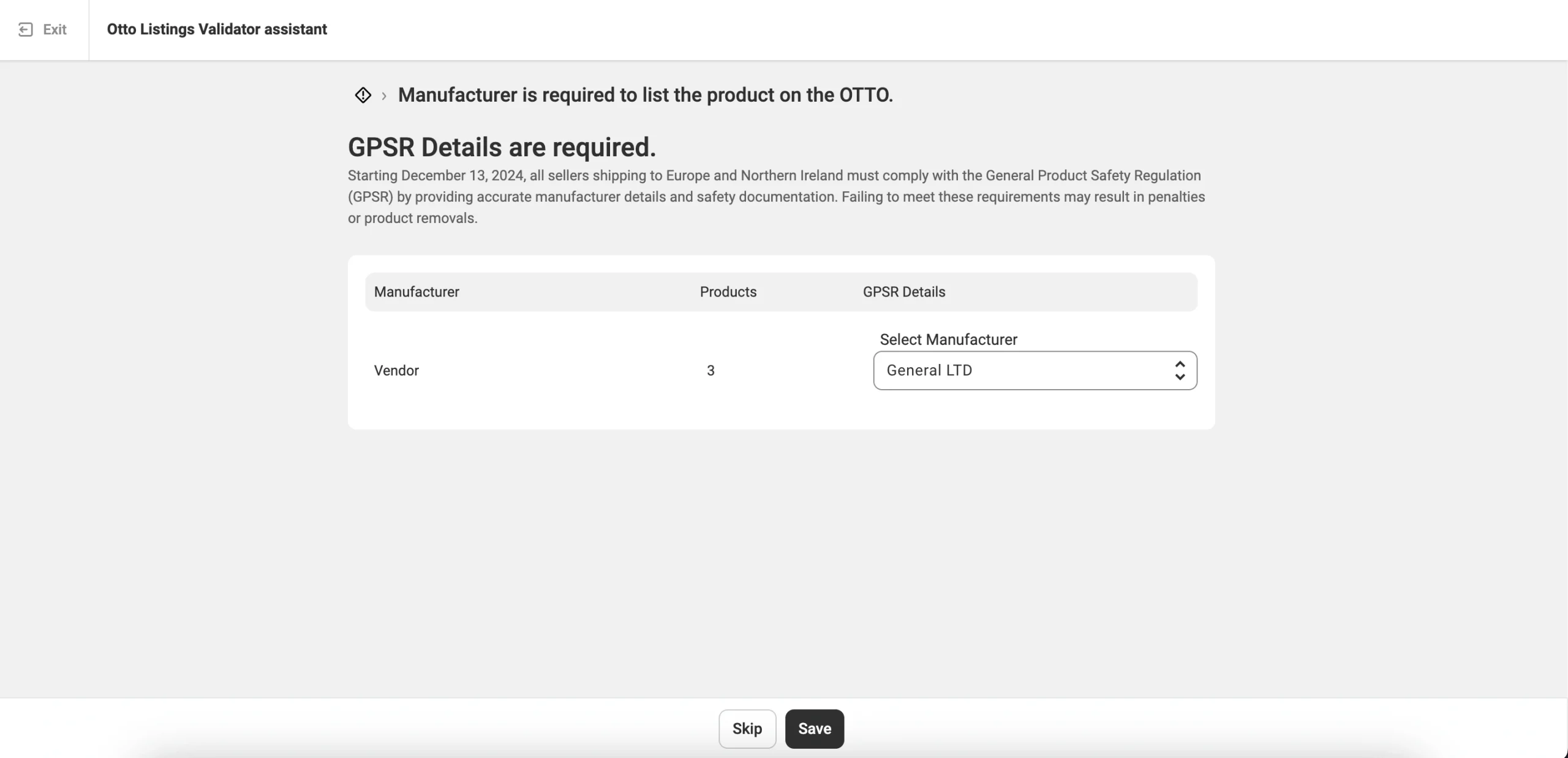
The list contains the Manufacturers you have created in Step 1. If you haven’t created any Manufacturers yet, return to the GPSR Details tab and add them.
4) Once done, click Save.
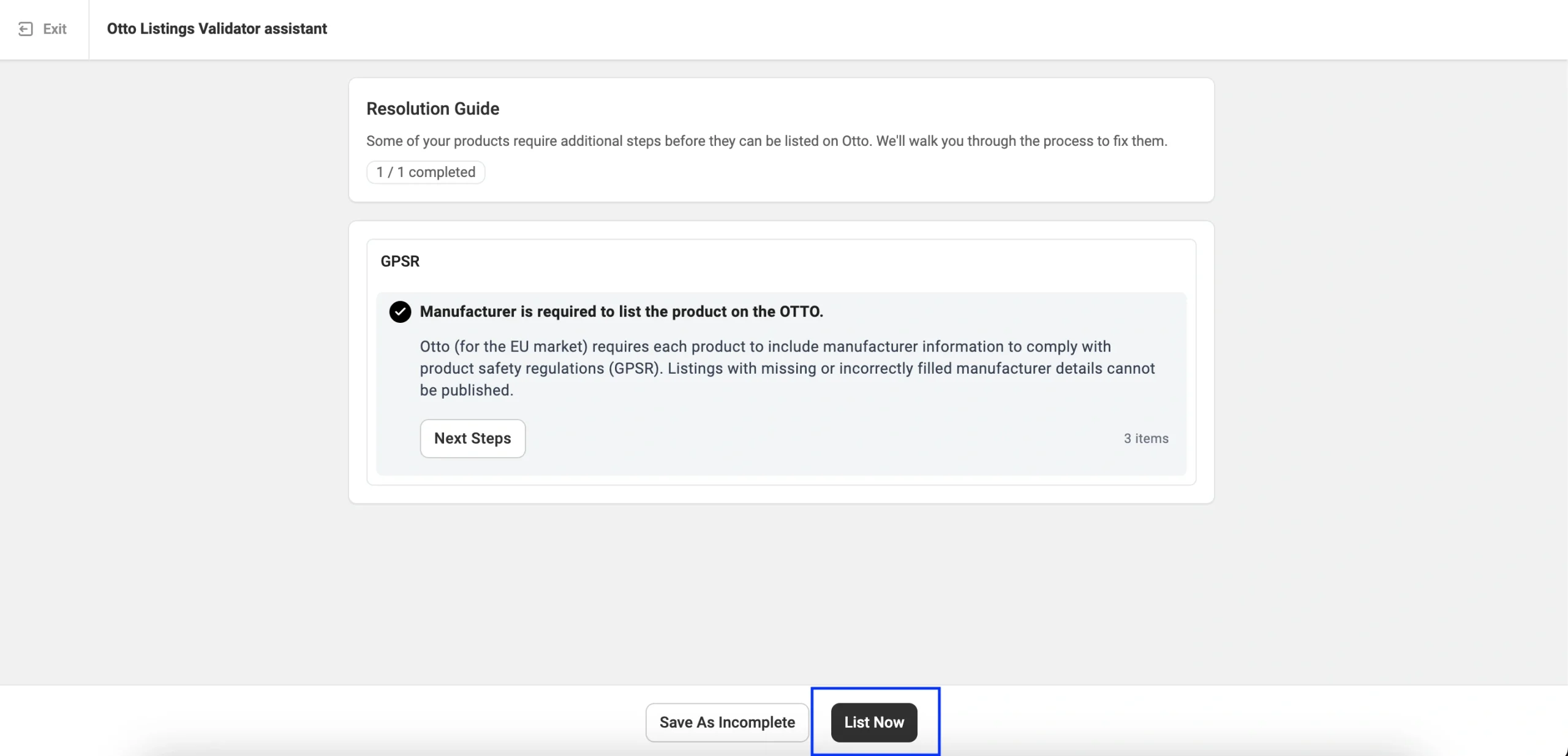
After saving, the M2E Validator Assistant will mark the requirement as Completed.
Click List Now to publish your products on OTTO with the proper GPSR information.
To see which OTTO items have GPSR information assigned, go to the Listings page and use the Has GPSR details filter:

✅ For any questions or issues with providing GPSR details in M2E, please contact our support team.


