
OTTO requires both a shipping tracking number and a return tracking number for every shipment update. M2E's integration with DHL Retoure Online handles the return side automatically. The app generates DHL return tracking numbers for shipped OTTO orders and sends them to OTTO alongside your shipment details, so you don't have to do it manually.
The result: less manual effort, no missing return tracking data, and fewer OTTO shipment update errors caused by incomplete information.
In this guide, you'll learn how to enable the integration and how it works.
How to enable DHL Return Tracking #
Step 1. In M2E Multichannel Connect, navigate to OTTO Settings > Orders > Order Management.
Step 2. Switch on the Enable DHL Return Tracking toggle.
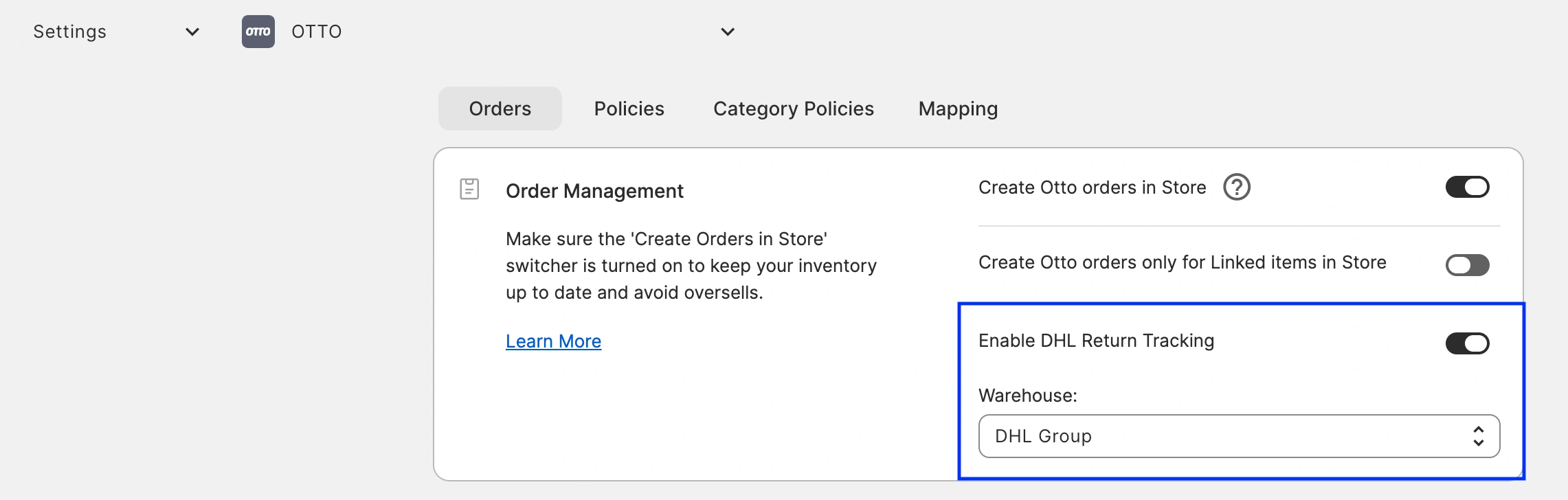
Step 3. When prompted, complete the setup:
- Connect your DHL Retoure Online account
- Select the warehouse you want to use
That's it! From this point on, M2E will automatically request DHL return labels and send the return tracking information to OTTO together with your shipment details.
How the integration works #
When you ship an OTTO order, M2E handles the return tracking process in the background:
- M2E requests a return label from DHL Retoure Online.
- DHL generates a return tracking number and sends it back.
- M2E submits both the shipping and return tracking numbers to OTTO in a single update.
Supported shipping carriers #
You can combine carriers for outbound and return OTTO shipments:
| Shipment type | Supported carriers |
|---|---|
| Outbound | Any carrier supported by OTTO (DPD, GLS, DHL, and others) |
| Returns | DHL Retoure Online |
Example: Ship outbound with DPD, GLS, or DHL and use DHL Retoure Online for returns. The integration works regardless of which outbound carrier you choose.
Need help? #
If you need assistance setting up DHL Retoure Online in M2E, reach out to our support team.


