
M2E Multichannel Connect brings Amazon Buy Shipping into your store's admin panel. It allows you to purchase shipping labels for Amazon orders without switching to Seller Central. You can get competitive shipping rates from a range of carriers and generate shipping labels on the spot. M2E will automatically synchronize all shipment details between your store and Amazon.
Follow the steps below to purchase and print shipping labels through M2E.
Purchase Amazon Buy Shipping label #
To purchase an Amazon Buy Shipping label in M2E Multichannel Connect:
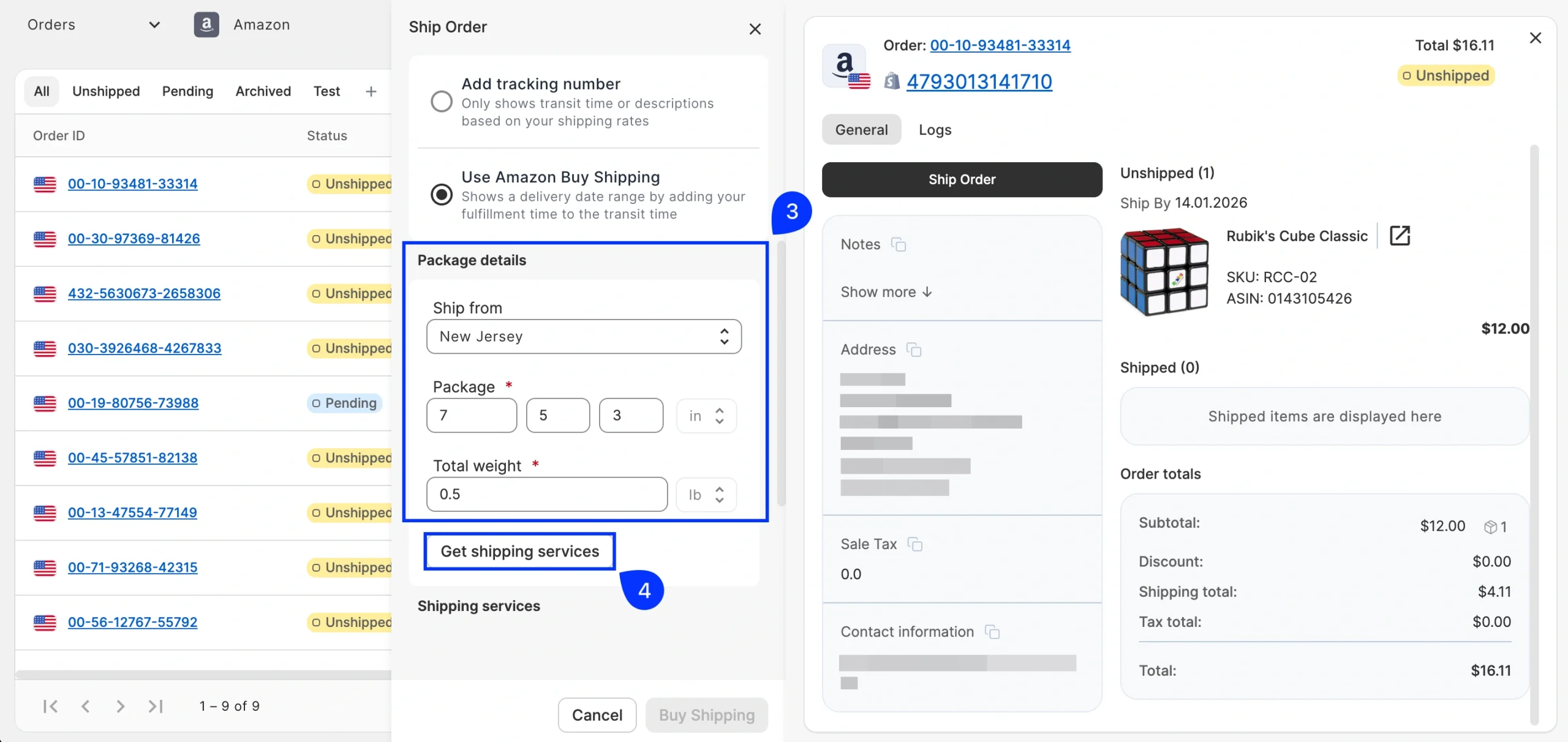
1) Open the order card of the Unshipped Amazon order and click Ship Order.
2) In the pop-up window, select Use Amazon Buy Shipping.

3) Enter your package details: choose the ship-from location, specify the package dimensions (Length × Width × Height), and enter the total weight. Make sure your values match the units shown. These are set by the marketplace and can't be changed.
4) Click Get Shipping Services.
5) Browse the available shipping services and compare rates based on your package details. Select the option that best meets your delivery and budget requirements.
6) Click Buy Shipping to complete the purchase.

Once the label is purchased, Amazon updates the order with the shipping label and tracking information. M2E automatically syncs these details to the Amazon order and your store, including the tracking number and shipment status. The order is then marked as Completed on both platforms.
Print Amazon Buy Shipping label #
To view or print an Amazon Buy Shipping label in M2E Multichannel Connect:
1) Open the order card of a Completed Amazon order.
2) Find the Shipped item(s) section.
3) Click the eye icon next to the tracking number.
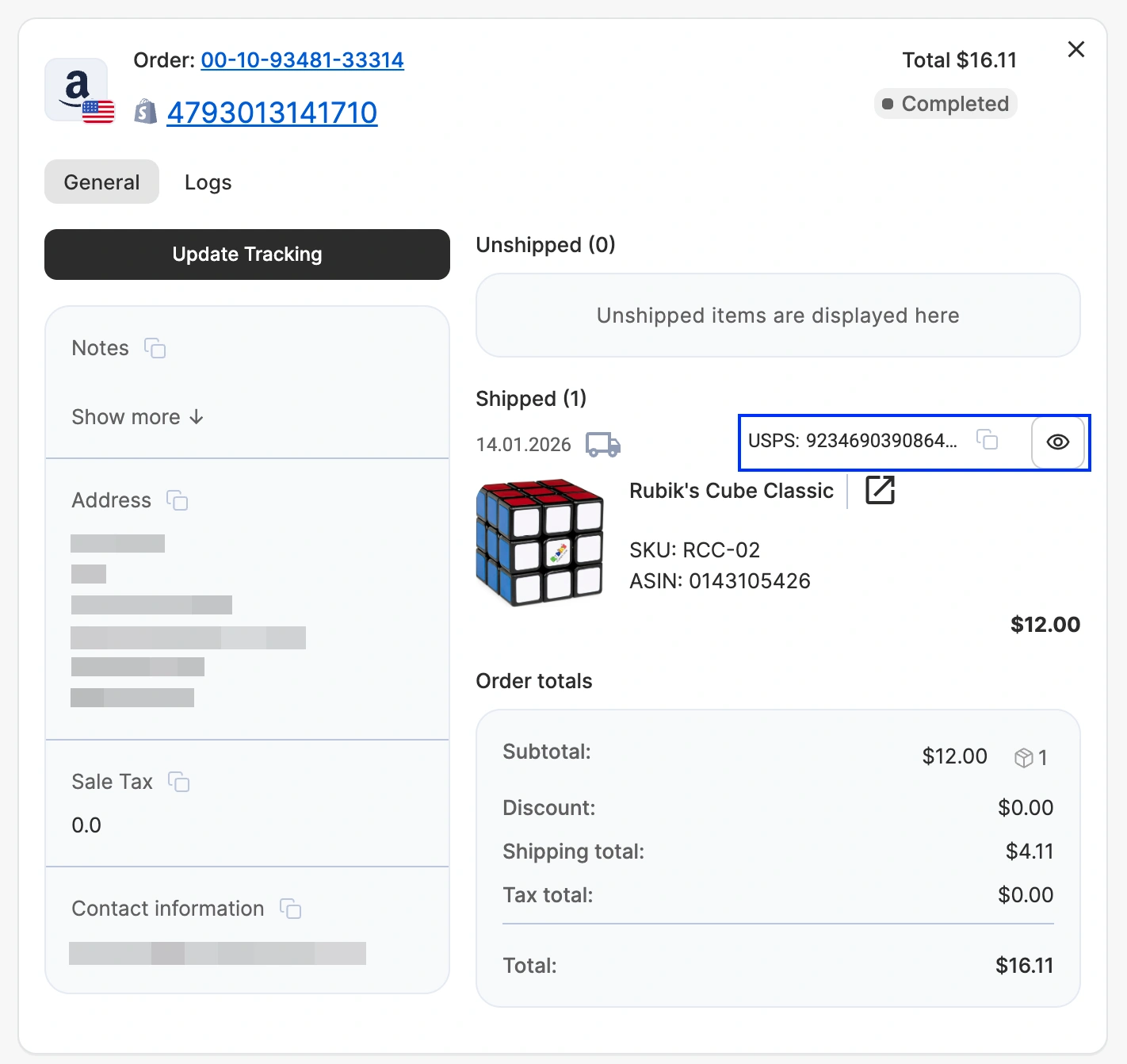
The shipping label opens in a new browser tab as a PDF, ready for download or printing. Once printed, attach the label to your package and hand it off according to your selected carrier's guidelines – whether that's a scheduled pickup or a drop-off at a designated location.
Need help? #
If you run into any issues purchasing Amazon shipping labels through M2E, please contact our support team.


