
If you see the error "Image file size exceeds the allowed limit" when listing products with M2E Multichannel Connect, it means one or more product images are larger than the maximum size allowed by the marketplace.
Each marketplace has its own image size restrictions. If an image exceeds that limit, the listing will be rejected.
Marketplace image size limits #
Each marketplace has different requirements. Check the maximum allowed file size for your marketplace:
| Marketplace | Maximum file size |
|---|---|
| eBay | 12 MB |
| Amazon | 10 MB |
| Walmart | 5 MB |
| TikTok Shop | 10 MB |
| Temu | 5 MB |
| Kaufland | 10 MB |
| Shein | 3 MB |
| OnBuy | 10 MB |
How to fix the error #
You need to reduce the file size of the product images and resubmit your listings. Follow the steps below.
Step 1. Reduce the image file size #
To bring your images within the allowed limit, you can:
- Convert to JPEG format – Use JPEG instead of PNG (often reduces file size by 50-70%).
- Reduce image resolution – Lower the pixel dimensions if the image is very large (e.g., from 4000px to 2000px).
- Use compression tools – Compress the image using tools like TinyPNG or image editors.
In most cases, converting a large PNG to a compressed JPEG is enough to solve this issue.
Step 2. Update the image and resubmit the products #
After optimizing your images:
1) Replace the old images in your store or product catalog with the optimized versions.
2) Go to the Listings page in M2E Multichannel Connect and select your marketplace account.
3) Use the product groups to display items with this specific error.
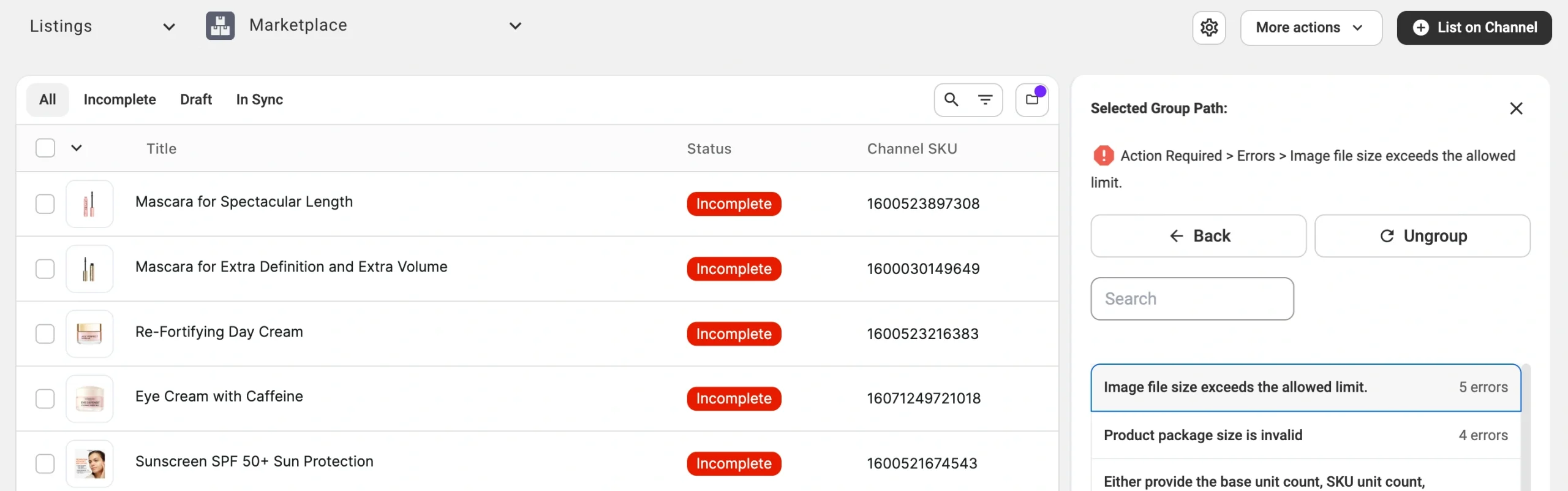
4) Select the affected items.
5) Click Manage Items > List from the actions menu.
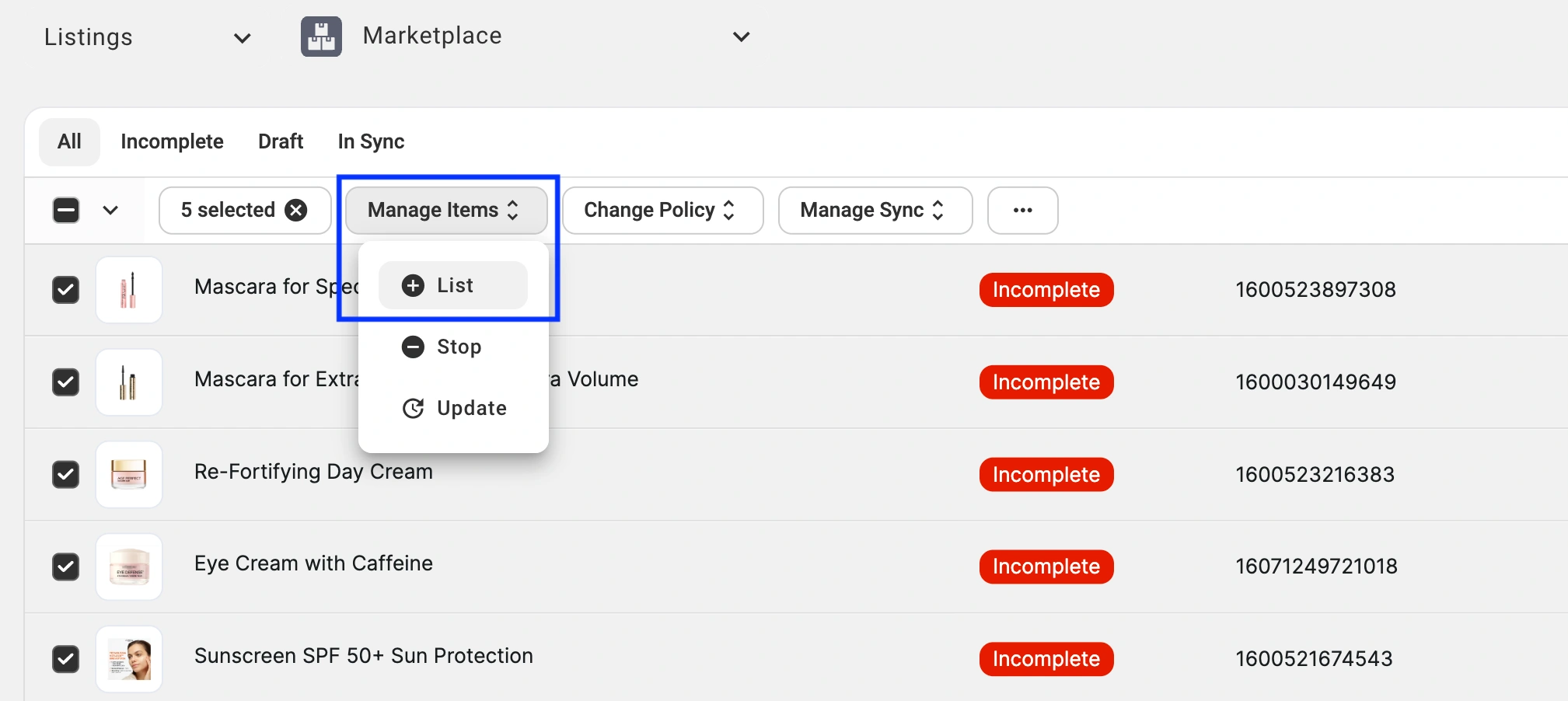
If the image file sizes are reduced properly, your listings will be created on the marketplace.
✅ If you still run into this issue after completing the steps, please contact our support team for help.


