
eBay allows up to 250 variations per listing, so you cannot list a product with more variations as a single item. M2E Multichannel Connect lets you split such products into several smaller listings that stay within the limit.
In this guide, you will learn how to split products that exceed the eBay variation limit, and how to split variation products for other reasons, for example, to list each color separately.
Split products that exceed the variation limit #
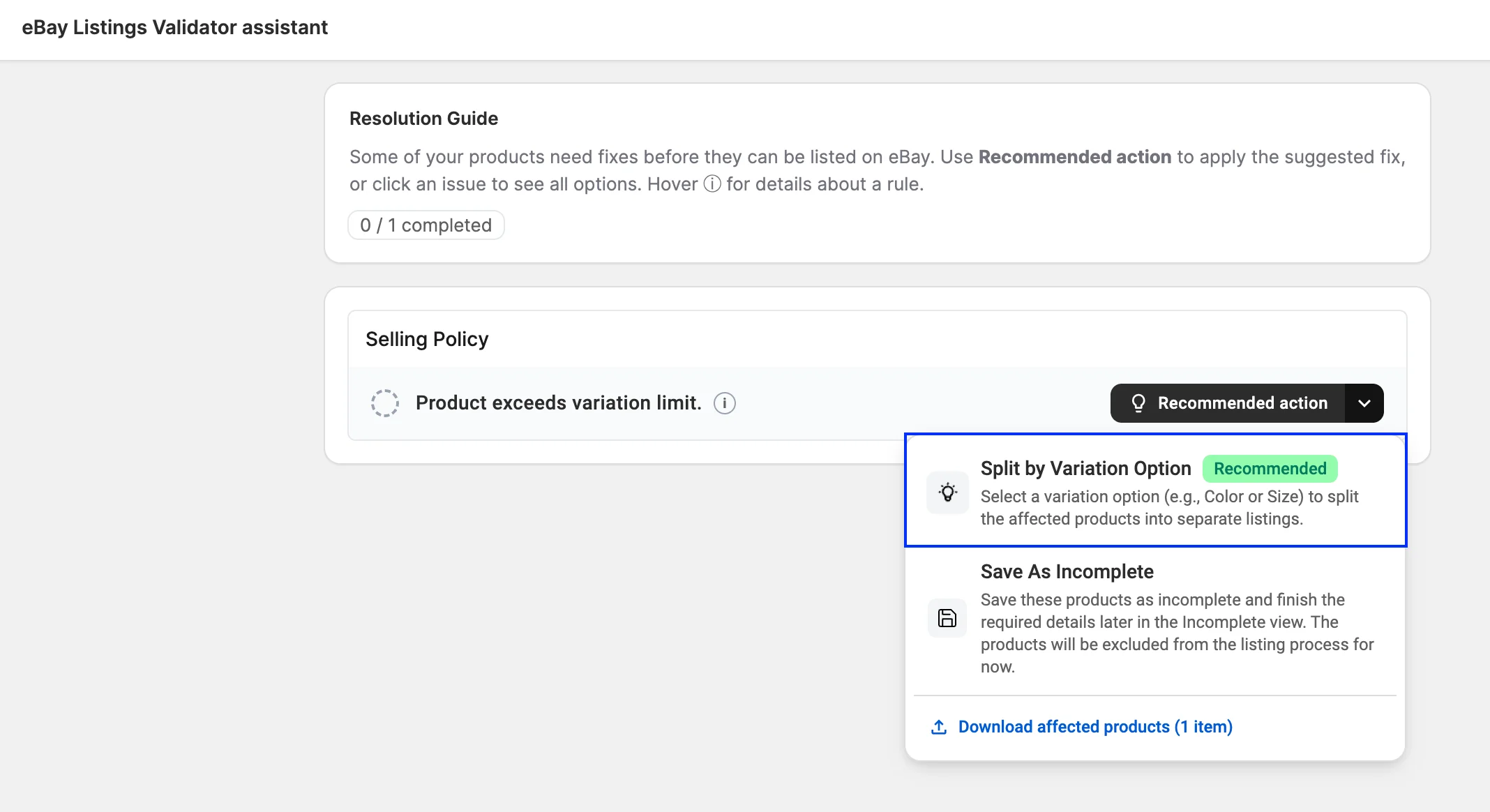
When you try to list a product with more than 250 variations on eBay, the M2E Listings Validator Assistant shows the error Product variation count exceeds the limit. To publish the product on eBay, you need to split it first:
1) In the Listings Validator Assistant, click Recommended action next to the error. This opens the Split by Variation Option solution.
2) From the drop-down menu, select the variation option to split by, for example, Color or Size. M2E groups variations with the same value of this option into one product. Each new product stays within eBay’s limit of 250 variations, and the option value (e.g., Red) is added to its title.
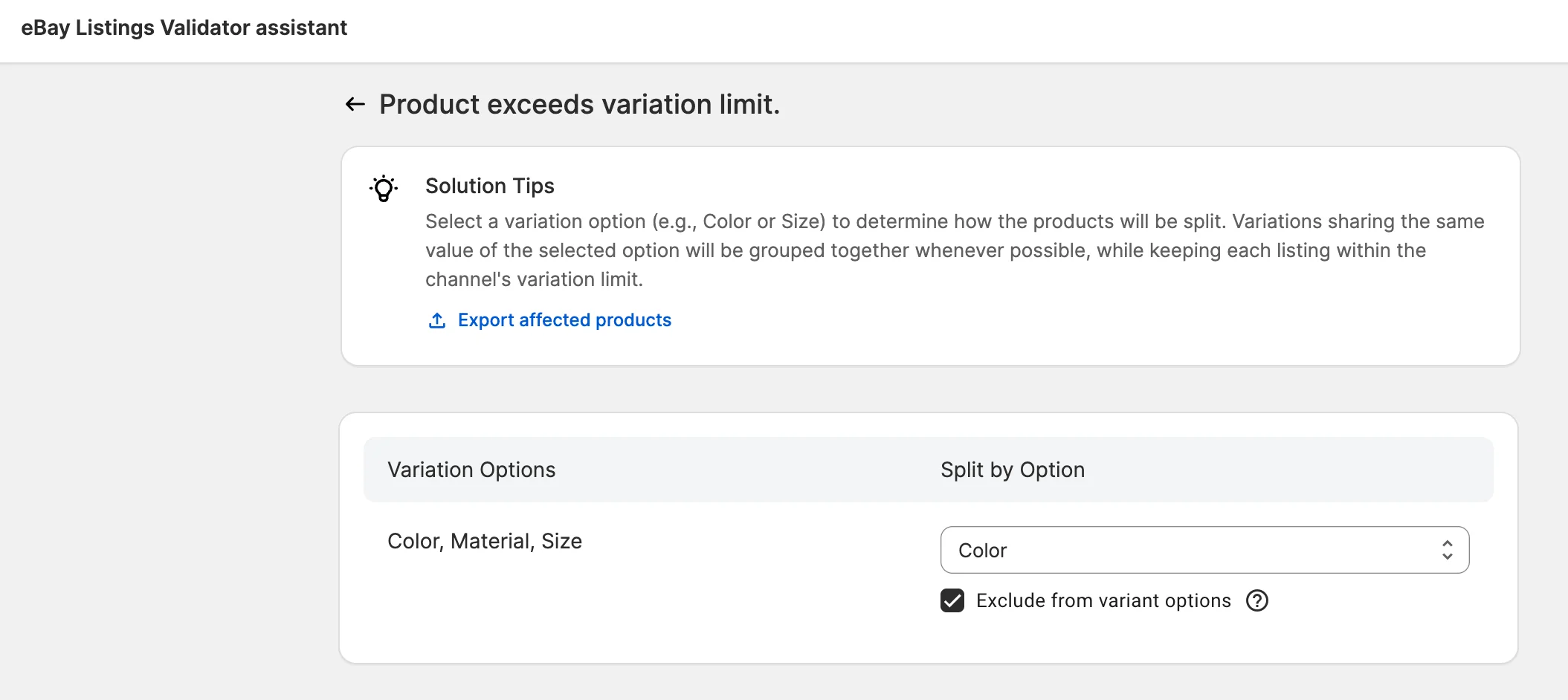
3) Optional: select Exclude from variant options if you no longer need the split option as a variation. For example, after a split by Color, each product varies by Size only.
4) Save the changes and proceed with listing the products.
Example: A pair of sneakers comes in 6 colors and 45 sizes, which gives 270 variations. When you split it by Color, M2E creates 6 products with 45 sizes each and adds the color to each title. If you have also selected Exclude from variant options, Size becomes the only variation option in each product.
Split Draft products within the variation limit #
You can also split a product that is within the limit, for example, to create a separate listing for each color. This option works only for products with the Draft status. When you list the product on eBay, save it as a draft, then split it before it goes live.
ℹ️ This option is available on the Business and Enterprise plans for products with more than one variation option.
You can split one Draft product at a time or several products at once.
Split one product #
1) Go to the Listings page and select your eBay account.
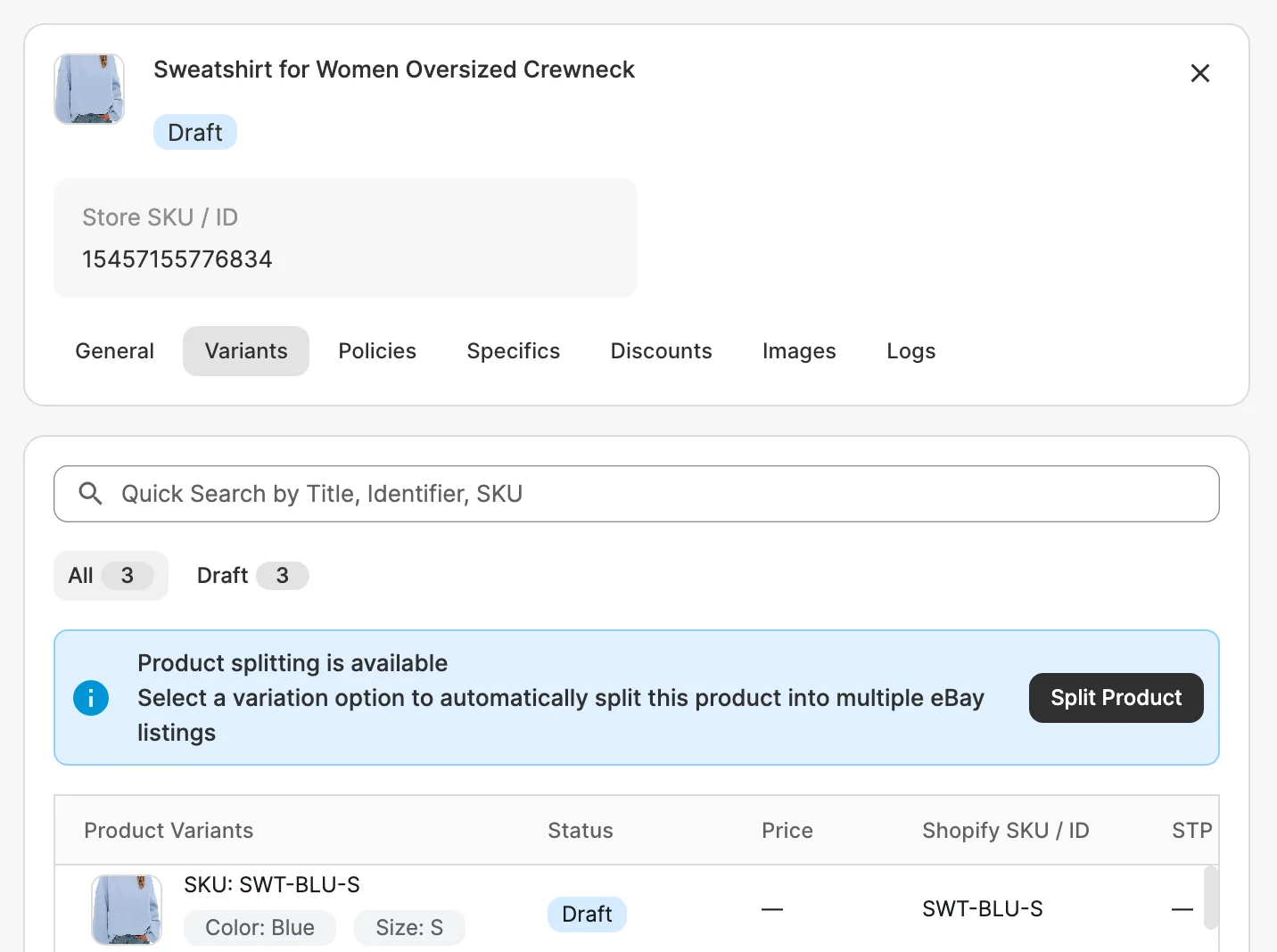
2) Find your Draft variation product and open it.
3) Go to the Variants tab and click Split Product.
4) From the drop-down menu, select the variation option to split by.
5) Optionally, select Exclude from variant options.
6) Save the changes and proceed with listing the products.
Split multiple products #
1) Go to the Listings page and select your eBay account.
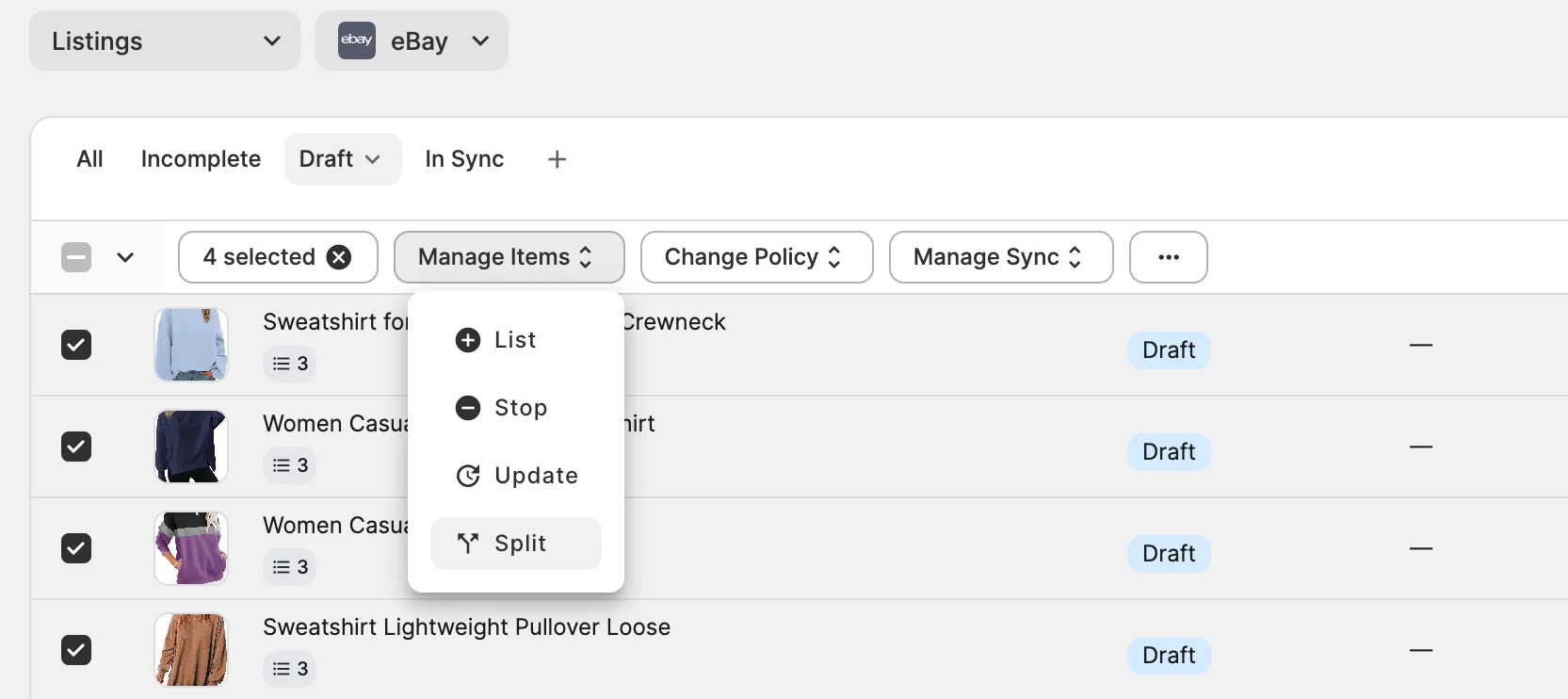
2) Select the Draft variation products you want to split.
3) From the mass actions menu, click Manage Items > Split.
4) Select the variation option to split by.
5) Optionally, select Exclude from variant options.
6) Save the changes and proceed with listing the products.
Need help? #
If you have questions about splitting eBay variation products in M2E Multichannel Connect, contact our support team.


